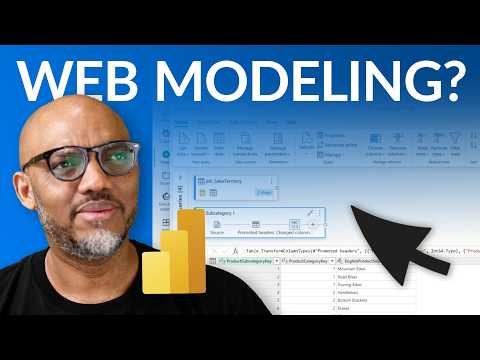
Power BI: Build Models in the Browser
Build full Power BI semantic models on the web with Microsoft Fabric and Power Query, Mac friendly and desktop free.
Key insights
- Power BI semantic modeling now runs fully in the web browser, letting Mac users build, edit, and manage models without installing Desktop.
Work from any device with a modern browser to create enterprise-grade models. - The web editor includes Power Query for data shaping, supports 100+ data connectors, and lets you add tables, relationships, and DAX measures and calculated columns.
Transform and prepare data online before you build reports. - Authoring workflow is simple: use the Create page and Get Data to connect sources, pick tables, transform as needed, then model and publish in a workspace.
You can build a report immediately or refine the semantic model first. - Platform Independence removes the Windows-only constraint, improving collaboration and access for distributed teams.
Teams can iterate faster with a single web-based environment for data ingestion, modeling, and reporting. - Web models integrate with Microsoft Fabric features like Direct Lake and save in Power BI workspaces for shared access and faster live queries.
This improves performance and simplifies enterprise deployment. - Now generally available (GA) in 2025, this shift toward a cloud-native, cross-platform experience reduces installation overhead and expands Power BI use beyond Windows.
Adopt web modeling to streamline BI workflows across devices.
Overview of the Video
In a recent YouTube video, creator Guy in a Cube demonstrates how to build a full Power BI semantic model entirely in the web browser using Microsoft’s web experiences. The video shows step-by-step actions that make the process accessible to users who do not run Windows natively, such as Mac and Linux users. Consequently, this marks an important shift because it reduces reliance on the traditional Desktop client and surfaces core modeling tools directly inside the Power BI Service and Microsoft Fabric. For newsroom readers, the piece highlights a practical workflow change rather than a mere feature update.
More specifically, the presenter walks through using the web-based Power Query editor, performing data ingestion, shaping data, and constructing relationships and DAX calculations without leaving the browser. He also covers creating reports that sit on top of web-created models and saving models into workspaces for team access. Therefore, the video frames the capability as a cloud-first, cross-device modeling option that lowers the barrier to entry. Importantly, the demonstration emphasizes that these functions have reached general availability in 2025 and are ready for production use.
Key Features Demonstrated
The video highlights several notable features, including over 100 data connectors that allow creators to pull data directly into a web model, the modernized Power Query experience on the web, and in-browser DAX editing for measures and calculated columns. Furthermore, it shows how to manage relationships, configure row-level security, and work with calculated tables and calculation groups all from a browser session. Together, these capabilities recreate much of the modeling surface that users previously needed the Desktop client to access. As a result, the web environment increasingly resembles a full-featured semantic modeling workspace.
Another point covered is integration with Microsoft Fabric and storage modes such as Direct Lake, which enable fast querying over large datasets when paired with the right architecture. Moreover, models are saved into Power BI workspaces so teams can collaborate and consume the same semantic layer. Thus, the video argues that a fully web-based modeling workflow can shorten the development loop by unifying ingest, modeling, and reporting. Nevertheless, the presenter also implies that some enterprise scenarios will still require careful architecture to meet scale and governance needs.
Benefits for Cross-Platform Teams
One clear advantage emphasized in the video is platform independence: Mac and non-Windows users can now author semantic models without virtual machines or remote desktops. Consequently, organizations that support mixed-device teams can simplify onboarding and reduce friction for analysts and data engineers. In addition, the web-based approach enhances flexibility because authors can switch devices and continue work from any browser-enabled location. This accessibility promotes faster experimentation and easier sharing of models across teams.
Moreover, the in-browser workflow improves collaboration by keeping models in workspaces and enabling role-based access and centralized management. As a result, teams can align more consistently on a single semantic definition rather than rely on locally stored PBIX files scattered across machines. Furthermore, integrating transformation, modeling, and report creation in one environment reduces context switching and can speed up iteration times. Ultimately, this helps organizations deliver insights faster while maintaining a single source of truth.
Tradeoffs and Practical Challenges
Despite the clear benefits, the video and related discussion make tradeoffs apparent, particularly around scale and tooling preferences. For example, very large models or highly optimized enterprise models may still perform best when developed with specialized tools or local resources tuned for performance. Conversely, the web experience simplifies many common scenarios but might not replace advanced external tools that professionals use for deep model optimization and automation.
Governance and lifecycle management also present challenges that the video touches on indirectly; teams must plan for versioning, testing, and deployment workflows that work with web-native models. Moreover, while the web enables collaboration, it also raises questions about change control and audit trails that organizations must address through process and tooling. Therefore, IT and analytics leaders will need to weigh the convenience of web modeling against the governance and performance demands of their environment.
Finally, there’s a balance between speed and control: the web streamlines rapid development and lowers barriers for casual users, while power users may prefer desktop or external editors for granular control. Nevertheless, the video suggests that many day-to-day modeling tasks are now fully supported online, and that organizations can adopt a hybrid approach to match tools to complexity. In practice, choosing the right mix will depend on team skills, data volume, and compliance requirements.
What This Means in Practice
For readers considering a change, the takeaway is pragmatic: try the web modeling experience for typical reporting models and use it as part of a broader, governed pipeline. Moreover, teams should pilot the feature with representative datasets and test refresh performance, security roles, and collaboration workflows. By doing so, organizations can measure benefits like faster iteration and easier access while identifying scenarios that still require traditional tooling.
In conclusion, Guy in a Cube provides a clear, hands-on view of how Microsoft’s web modeling capabilities can broaden access to semantic modeling, especially for Mac users. While tradeoffs around scale, governance, and specialized tooling remain, the web-first approach represents a meaningful step toward a more inclusive and cloud-native BI experience. Ultimately, the update expands options for teams and encourages a thoughtful, hybrid approach that balances convenience with control.

Keywords
power bi web modeling, power bi for mac, build power bi models online, power bi modeling on web, power bi cloud modeling, power bi mac alternative, power bi service modeling, power bi modeling tutorials mac