Power Apps AI: Canvas Authoring Tips
Principal Program Manager at Microsoft Power CAT Team | Power Platform Content Creator
Microsoft pro: Build Power Apps with AI using Canvas Apps Authoring MCP Server and Claude Code, Power Fx and SharePoint
Key insights
-
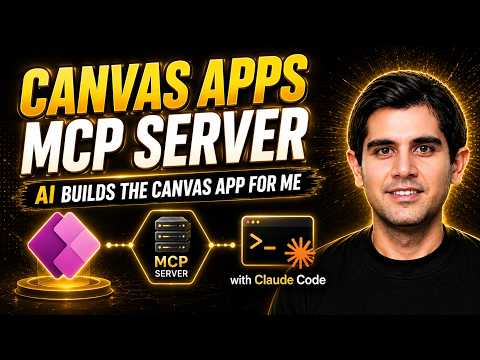
The video demonstrates the Canvas Apps Authoring MCP Server, a preview tool that lets AI act as an AI co-author to create and edit Canvas Apps from your local IDE.
It shows the AI building real screens, controls and formulas that open directly in Power Apps Studio. -
The workflow uses the Power Apps coauthoring API and an MCP server to connect a local IDE like VS Code with AI tools such as Claude Code or GitHub Copilot CLI.
The AI translates plain-language prompts into app code and syncs changes live with the open Power Apps session. -
The presenter builds an Idea Suggestion Box app as a full demo, using SharePoint Lists for data, role-aware screens, and automated notifications when idea status changes.
The video walks through creating the data schema, UI, business logic and notifications using natural-language prompts. -
Key benefits shown are speed and efficiency—you can move from idea to working app in minutes—and strong workflow integration with local tools and version control.
The MCP server uses Power Apps controls and standard structures to maintain compatibility and quality. -
To use it you need a compatible IDE, an AI coding tool like Claude Code or GitHub Copilot CLI, and coauthoring enabled in Power Apps; you must also configure the MCP server before connecting.
The video gives step-by-step setup and demonstrates connecting Claude Code to Power Apps. - Important limitations: the feature is in preview, so test and review outputs before production use. The AI generates real controls and Power Fx formulas you can edit, and it supports iterative updates by describing changes in plain language.
Overview of the video and its goals
In a recent YouTube tutorial, Reza Dorrani walks viewers through building a full Canvas application using AI tools. He demonstrates how the new Power Apps Authoring MCP Server works with Claude Code to turn plain language prompts into a working app. The video shows the entire flow from data model design to UI creation and automated notifications. Consequently, the piece highlights how AI can speed up low-code development without replacing developer oversight.
How the MCP Server and AI integration work
First, the video explains that the MCP Server bridges local development environments and the cloud-based Power Apps Studio. By enabling a live coauthoring session, AI agents such as Claude Code can push real controls, formulas, and YAML to the canvas in real time. This approach lets developers stay in tools like VS Code while changes appear immediately in the browser-based editor. Moreover, the workflow maintains compatibility because generated artifacts use the official control library and Power Fx rules.
Demonstration: building an Idea Suggestion Box
To illustrate the capability, Reza Dorrani builds an Idea Suggestion Box backed by SharePoint Lists and a Canvas app. He shows how the AI creates the list schema, generates screens, and wires role-based experiences for users and administrators. Additionally, the tutorial covers automated email notifications tied to idea status changes and how prompts can iterate on logic and UI. Therefore, viewers gain a practical view of how conversational prompts map to a working business solution.
Tradeoffs between speed and control
Using AI to generate apps promises faster time-to-value, yet it brings tradeoffs that developers must manage. On one hand, AI accelerates repetitive tasks and scaffolds a standard structure, which reduces manual work. On the other hand, teams must balance that speed with governance, ensuring generated components follow organizational patterns and security rules. As a result, human review and testing remain essential to catch logic errors, permission gaps, or unexpected behavior.
Challenges and considerations for practical use
The video also highlights practical challenges such as prompt design, preview limitations, and permission scopes. Prompt engineering matters because concise, accurate instructions produce better outputs, while vague prompts can generate misconfigured screens or formulas. In addition, the preview status of the technology means some enterprise features may be limited and organizations should evaluate compliance and support before production use. Consequently, teams must plan for validation, version control, and rollback mechanisms when adopting this workflow.
Balancing governance, collaboration, and iteration
Finally, Reza Dorrani emphasizes iterative improvement: you can refine an app by telling the AI what to change instead of rebuilding from scratch. This makes it easier to evolve features while keeping a living audit trail in your IDE and Power Apps Studio. However, balancing collaboration between designers, citizen developers, and IT requires clear policies about who approves AI-generated changes and how to document decisions. In practice, combining AI speed with structured review creates a workable balance between innovation and control.
In summary, the video offers a clear, hands-on look at integrating the Power Apps Authoring MCP Server with AI agents like Claude Code to build real Canvas Apps. It showcases a practical use case, outlines tradeoffs, and warns about governance and preview limitations, while also demonstrating the potential for faster development and easier iteration. For teams considering this path, the takeaway is to adopt AI as a co-author that boosts productivity but still needs human oversight, testing, and policy safeguards. As the technology matures, organizations can refine processes to capture the benefits while managing the risks.

Keywords
Power Apps AI, Canvas Apps authoring, MCP Server setup, Claude code integration, Build AI Power Apps, AI-powered Canvas Apps, Power Platform Claude, Canvas Apps tutorial