Azure AI: Build Deep-Reasoning Agents
Lead Infrastructure Engineer / Vice President | Microsoft MCT & MVP | Speaker & Blogger
Microsoft expert guide to Copilot Studio deep reasoning models and autonomous agents that improve Copilot AI responses
Key insights
- Deep reasoning models
These models let agents perform step-by-step logic, handle ambiguous inputs, and produce more accurate answers than single-turn LLM prompts.
In the demo, turning on this feature made the agent’s responses noticeably better and more reliable. - Copilot Studio
Copilot Studio is the authoring platform where teams build, tune, and deploy agents with low-code tools and enterprise data integration.
It lets developers control reasoning, connect to Microsoft 365, and test agent behavior before rollout. - Autonomous agents
Agents can run multi-step workflows, choose tools, and clarify unclear requests without constant human input, or they can operate with human oversight when needed.
The video shows a working autonomous agent whose output improves when deep reasoning is enabled. - Agent flows and multi-agent orchestration
Agent flows define structured, rule-based sequences for tasks, while multi-agent orchestration coordinates several specialized agents to solve complex problems together.
This approach supports repeatable automation and clearer error handling. - Domain specialization (Copilot Tuning)
Teams can tune agents on internal data so they give domain-aware answers for fields like legal, healthcare, or aviation.
That tuning increases accuracy and reduces risky or generic responses. - Azure AI Foundry Agent Service
This developer toolkit adds monitoring, safety checks, and integration features (inspired by tools like Semantic Kernel and AutoGen) to help build enterprise-ready agents.
It improves traceability, performance tracking, and safer deployments for production use.
Overview of the Video
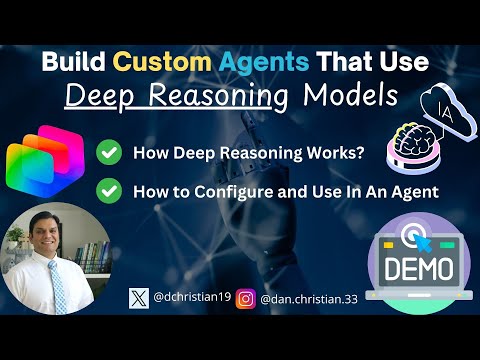
In a recent YouTube video, Daniel Christian [MVP] demonstrates how to build custom agents using the deep reasoning model feature available in Copilot Studio. He walks viewers through an autonomous agent example and highlights a clear performance difference when the feature is enabled versus disabled. Consequently, the video frames the capability as a practical step forward for teams that need agents to handle multi-step reasoning and ambiguous inputs in real work scenarios.
The Demo and Key Findings
First, Christian shows an initial run of an autonomous agent to establish a baseline, and then he re-runs the same scenario after turning on deep reasoning. The result demonstrates that the agent produces more precise, context-aware responses, especially on tasks that require logical steps and clarification of unclear requests. Thus, the demonstration emphasizes how structured reasoning can reduce errors and improve meaningful outputs in real time.
Moreover, the video includes clear timestamps for each segment, which helps viewers follow the demonstration from introduction through conclusion. As a result, developers can reproduce the steps or skip to parts most relevant to their needs, such as enabling the feature or inspecting agent activity. Overall, the demo serves as a hands-on illustration rather than a theoretical talk, so teams can see both practical benefits and behavioral differences firsthand.
How Deep Reasoning Works in Copilot Studio
Christian explains that deep reasoning extends beyond single-turn completions by enabling agents to chain multiple reasoning steps and to choose tools or workflows dynamically. In addition, Copilot Studio provides a low-code environment for authoring these agents, allowing configuration of agent flows, rule-based steps, and integrations with enterprise data. Consequently, organizations can tune agents on their internal knowledge through features like Copilot Tuning, which helps produce domain-specific results for fields such as legal, healthcare, or finance.
He also touches on model choices, noting that agents can leverage various large models depending on needs, and that Microsoft’s platform supports multi-agent orchestration for more complex workflows. Therefore, teams can assign specialized roles to different agents and coordinate them under a higher-level workflow while maintaining human oversight. This approach matters for enterprises that need both scale and control in production settings.
Tradeoffs and Practical Challenges
While the benefits are clear, Christian’s walkthrough also implies tradeoffs that teams must weigh carefully, such as latency and compute cost when using deeper multi-step reasoning. For instance, enabling complex reasoning can increase response time and cloud resource usage, which in turn affects budget and user experience. Consequently, organizations should test the balance between accuracy and responsiveness to determine acceptable performance thresholds for their applications.
Additionally, the video calls attention to governance and safety concerns: deeper reasoning introduces more internal state and decision points, which complicates observability and auditing. Therefore, teams must invest in monitoring, logging, and human review processes to ensure consistent quality and compliance. In short, the improved reasoning capability demands stronger operational practices and clearer guardrails to manage risk effectively.
Implications for Enterprise Adoption
Finally, Christian highlights that the preview of deep reasoning in Copilot Studio and related services like the Azure AI Foundry Agent Service suggest a roadmap toward more robust enterprise agent tooling. As a result, businesses can expect richer integrations with Microsoft 365 apps and broader connector ecosystems, enabling automation of complex workflows such as document review or multi-step approvals. Thus, organizations that pilot these features now can learn operational patterns and tune workflows before scaling widely.
In closing, the video presents a pragmatic view: enabling deep reasoning improves agent output on complex tasks, but it also raises questions about cost, latency, and governance that teams must address. Therefore, organizations should approach adoption iteratively, validating benefits with measurable tests and building the observability required for safe, reliable deployment. Overall, Christian’s demonstration offers a clear, actionable starting point for teams exploring next-generation AI agents in enterprise environments.
Keywords
build custom AI agents, deep reasoning models, custom agent development, AI reasoning agents, advanced reasoning models, deploy custom agents, reasoning model architecture, AI agent frameworks