Microsoft 365 Copilot: Build Agents Fast
Evangelist at Barhead Solutions | Microsoft Business Applications MVP | Content Creator
Expert guide: build customize and share agents in Microsoft three sixty five Copilot with Agent Builder SharePoint Teams
Key insights
- Agent Builder: A no-code tool inside Microsoft 365 Copilot that lets you create task-focused AI agents using plain language.
Use the Copilot app to build, test, and run agents across Teams, Word, and Office.com without writing code. - Build workflow: Describe the agent, add instructions, attach knowledge sources, then test in the built-in pane and publish.
Templates speed setup and you can customize tone, suggested prompts, and icons before sharing. - Knowledge sources: Ground agents with files, SharePoint/OneDrive content, PDFs, and specific websites, or enable full web search for broader results.
Website grounding has limits (URL depth, indexing, and content constraints) so test for accuracy. - Capabilities: Agents can generate documents, code snippets, images, charts, and data analysis; out‑of‑the‑box options include Researcher and Analyst for deep research and trend work.
Use suggested prompts and custom instructions to guide outputs for real work scenarios. - Licensing: Copilot Chat (free) supports basic agent building, while paid Microsoft 365 Copilot and Copilot Studio unlock expanded data access and advanced actions.
Know feature limits for free users and when to move to Copilot Studio for integrations or larger models. - Sharing and governance: Publish agents privately or share with teammates, control permissions, and rely on admin settings and Copilot Studio processing to meet compliance requirements.
Test and review agent behavior before broad rollout to keep data secure and responses reliable.
In a comprehensive YouTube tutorial, Lisa Crosbie [MVP] walks viewers through how to build and use AI agents in Microsoft 365 Copilot. The video targets beginners and offers a step-by-step walkthrough that stretches beyond a quick overview, demonstrating how to create agents, ground them in data, and deploy them across Microsoft 365 apps. Consequently, the tutorial serves both as a practical guide and a reference for teams aiming to apply agents to everyday work scenarios.
Importantly, the video balances high-level concepts with hands-on demos, so viewers can both learn what agents do and try building one in real time. Lisa explains the differences between the free Copilot Chat experience and paid Microsoft 365 Copilot capabilities, and she highlights built-in agents such as the Researcher and Analyst. Therefore, organizations can quickly evaluate whether Agent Builder meets immediate needs or whether they should plan for more advanced tools.
How Agent Builder Works
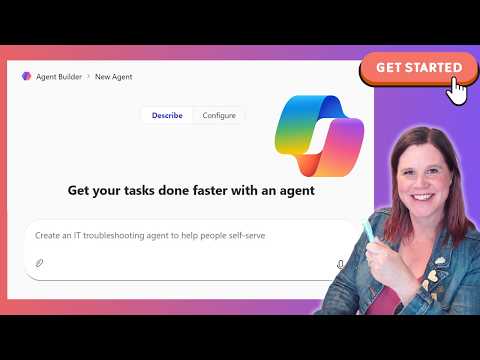
First, the tutorial introduces the Agent Builder interface inside the Copilot app, noting that you can start from plain language prompts or switch to manual configuration. Next, Lisa shows how to name an agent, write descriptive instructions, and add knowledge sources such as documents or websites, while the tool saves changes progressively. As a result, the process feels approachable for non-developers but still supports iterative testing and refinement.
Then, she covers templates and a test pane that simulate user interactions based on the agent's configuration, enabling rapid validation. She also demonstrates how to publish an agent privately and later share it across Teams or within the Copilot environment, which helps teams standardize responses. However, the video clarifies that some advanced behaviors require moving into Copilot Studio or developer workflows.
Capabilities and Customization
Lisa highlights agent capabilities such as document creation, code snippets, image generation, and guided prompts, and she shows how icons, tone, and rules shape the agent's behavior. Moreover, grounding agents on internal files or a specific website increases relevance for workplace queries, which can reduce hallucinations and improve trust. Yet, she warns that website indexing depth and content quality influence reliability, so careful selection of data sources is essential.
In addition, the video explains the difference between lightweight agents built for speed and the more advanced agents that use model selection in Copilot Studio. Consequently, teams must weigh simplicity against flexible customization: no-code agents are faster to deploy, while Studio-driven agents allow finer control and external integrations. Thus, choosing the right path depends on priorities such as time-to-value, complexity, and long-term governance.
Licensing, Data Access, and Security
Throughout the tutorial, Lisa makes clear distinctions between the free Copilot Chat and paid Microsoft 365 Copilot licenses, showing how features and data access differ. She notes that work data—emails, files, Teams content, and SharePoint—can be used to build richer agents when permitted, and that administrators retain controls for access and compliance. Therefore, organizations should align agent deployment with existing policies and the security model of Microsoft 365.
Furthermore, the video discusses how Copilot processes agent instructions through the backend service and how the product avoids extra Dataverse storage consumption for many agents. However, the tradeoff includes limitations in the free environment and the potential need to adopt paid services to handle sensitive data or complex behaviors. Ultimately, the right licensing choice depends on compliance needs and the breadth of data the agent must access.
Practical Tradeoffs and Challenges
Lisa addresses common pitfalls such as over-relying on web-sourced knowledge or neglecting testing against internal datasets, which can lead to inconsistent outputs. She emphasizes iterative testing and suggested prompts to steer agent responses, and she explains that design decisions—like choosing a narrow knowledge base versus wide web search—affect accuracy and privacy. Consequently, striking the balance requires input from domain experts, security teams, and frequent validation.
Additionally, the video points out adoption challenges like permissions, sharing, and discoverability within Teams or Microsoft apps, and it recommends clear ownership and versioning practices. While Agent Builder lowers the barrier to entry, organizations must invest in governance to avoid sprawl and to preserve data hygiene. Thus, teams should plan rollout strategies that couple capability with oversight.
Practical Use Cases and Next Steps
Finally, Lisa showcases real-world scenarios—including research assistants, data analysis helpers, and document-based agents in SharePoint and OneDrive—demonstrating practical value for everyday knowledge work. She also outlines when to extend an agent to Copilot Studio for more advanced actions or to use developer tools like a VS Code extension for complex integrations. Therefore, teams can start small, prove value, and then scale agents while keeping oversight and security in focus.
In conclusion, Lisa Crosbie's tutorial offers a clear, hands-on path for building agents inside Microsoft 365 Copilot, and it balances practical steps with governance guidance. For organizations, the key takeaway is to pilot straightforward agents, measure their impact, and iteratively add sophistication as needs and controls mature. Consequently, this approach helps teams unlock productivity gains while managing the technical and organizational tradeoffs involved.

Keywords
Microsoft 365 Copilot agents, build Copilot agents, Copilot agents tutorial 2026, create agents in Microsoft 365 Copilot, deploy Copilot agents enterprise, Copilot agent development guide, no-code Copilot agents, Microsoft Copilot automation agents