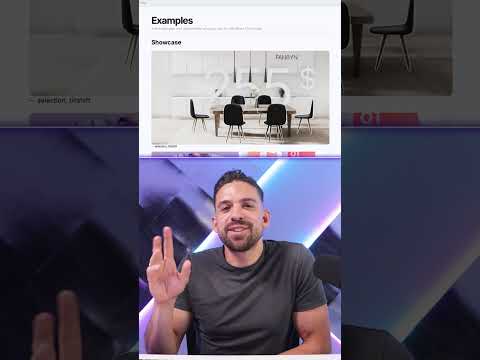
Fabric App: Build in 3 Minutes
Microsoft expert guide to build Fabric apps fast, unlock Power BI and Copilot AI for design transformation analytics
Key insights
- Build A Fabric App in 3 minutes — The video shows how to create a simple data-driven web app inside Microsoft Fabric using a single, guided workflow that handles both frontend and backend tasks.
- Fabric Apps combine the backend, generated APIs, authentication, and hosting so you don’t need separate services or glue code; this speeds up delivery for internal data apps.
- Typical developer flow: create an App item in a Fabric workspace, scaffold the project with the Rayfin CLI, code in TypeScript, test locally with npm run dev, then deploy with npx rayfin up.
- The platform targets data apps by integrating with Fabric data and the semantic model, making it easier to build apps that read and surface governed datasets.
- Developer advantages include TypeScript-first development, local development support, and AI-assisted workflows (for example, using Copilot) to scaffold and modify code quickly.
- Current status and cautions: Fabric Apps are in preview, so commands, templates, and authentication workflows may change; plan for updates and test before production rollout.
The YouTube tutorial "Build A Fabric App in 3 minutes" from the channel How to Power BI offers a fast-paced introduction to Microsoft's latest app-building workflow inside Fabric. The video demonstrates how Microsoft Fabric Apps package backend and frontend concerns so developers can focus on the user experience and data logic. As the host scaffolds a project and deploys it, viewers get a practical view of a development loop that promises to reduce setup and glue code. Consequently, this piece summarizes the video's key points, tradeoffs, and likely challenges for teams considering Fabric Apps in production.
What the Video Shows
First, the presenter walks through creating an app item in a Fabric workspace and scaffolding a project locally with the Rayfin CLI. Then, the demo highlights editing the TypeScript code, running a local dev server, and publishing with a simple deployment command such as npx rayfin up. Throughout, the video stresses that Fabric handles the data model, generated APIs, authentication, hosting, and deployment so developers do not have to assemble separate services. Therefore, the tutorial gives a useful end-to-end glimpse of the new workflow and how quickly a simple interface can be produced.
Additionally, the host emphasizes how Fabric Apps connect to existing Fabric datasets and semantic models, which makes them suited to data-centric internal apps. The demo shows a data app scaffold that treats the semantic layer as the backend contract, simplifying how UI controls bind to metrics and entities. This approach reduces the friction of building dashboards that require interaction, filtering, and secure data access. As a result, teams familiar with Fabric's semantic models can leverage those assets directly in a full-stack app.
How Fabric Apps Work in Practice
In the video, the workflow is framed as a TypeScript-first developer experience where the app's backend structure is defined in code and then generated by the platform. The presenter uses the Rayfin CLI to scaffold, test locally, and deploy, showing how the CLI integrates with Fabric workspace items. Local development support helps developers iterate faster before publishing to a workspace, while Copilot-like tools can speed up coding tasks. Thus, the flow mirrors modern web stacks but is embedded inside the Fabric ecosystem.
Moreover, the host points out that Fabric Apps are designed around data apps and semantic models rather than being a generic hosting platform. That context helps surface better defaults for authentication, permissions, and API generation when the app uses Fabric data. Because the current tools are preview-grade, the video also cautions viewers about evolving commands and templates, signaling that best practices may change. Consequently, while the demo is encouraging, it is framed as an early look rather than a locked-in solution.
Benefits for Developers and Data Teams
The video highlights several practical advantages, beginning with Faster app creation since scaffolding and backend generation are built into a single workflow. Similarly, Less infrastructure overhead is possible because Fabric provisions many backend pieces for you, reducing the need to manage separate API or hosting services. In addition, Tighter integration with Fabric data makes it straightforward to build apps that rely on semantic models and governed datasets, which helps maintain consistency across analytics and operational tools. Consequently, teams can prototype and deliver value more quickly than with traditional stacks.
Furthermore, the presenter notes that TypeScript-first development suits developers who prefer typed languages and modern tooling, while Local development support and AI-assisted building can accelerate iteration on UI and data logic. These factors make Fabric Apps attractive to small internal teams and analytics engineers who want to ship interactive tools without hiring dedicated backend engineers. As such, the approach aims to lower the barrier to full-stack, data-driven apps inside Microsoft Fabric.
Tradeoffs and Challenges
Despite the promise, the video also implies several tradeoffs around control and maturity: using Fabric's end-to-end system can speed development, but it also risks vendor lock-in and limits customization compared with hand-crafted stacks. The preview status means APIs, CLI commands, and templates may change, which complicates long-term planning and automated CI/CD pipelines. Additionally, while automatic API generation and hosted auth simplify setup, they may not cover complex enterprise requirements for compliance, auditability, or bespoke identity solutions. Thus, teams must balance speed with governance and future-proofing.
Operational concerns include testing parity between local and deployed environments, scaling limits tied to Fabric capacity, and the potential for invisible coupling between app code and platform updates. Relying on AI-assistants for scaffolding can increase productivity but may also introduce subtle bugs if generated code is not reviewed carefully. Therefore, organizations should pair rapid prototyping with rigorous testing, security reviews, and a migration plan in case platform choices evolve.
Outlook and Practical Advice
In closing, the video from How to Power BI offers a compelling, compact tour of what Microsoft Fabric Apps can deliver, especially for data-heavy internal tools that benefit from Fabric's semantic layer. For teams eager to experiment, the workflow provides a fast way to prove concepts and integrate analytics into interactive apps without provisioning many moving parts. However, the tutorial's preview context and the tradeoffs noted above mean that production use should start with small, low-risk projects and clear rollback plans. Ultimately, this new approach is worth watching as it matures, given the potential to simplify full-stack data app development while prompting teams to weigh speed against long-term control and governance.

Keywords
Build a Fabric app in three minutes, Microsoft Fabric app tutorial, Create Fabric app fast, Quick Fabric app walkthrough, Fabric app for beginners, How to build a Fabric app quickly, Rapid Microsoft Fabric app build, Three-minute Fabric app tutorial