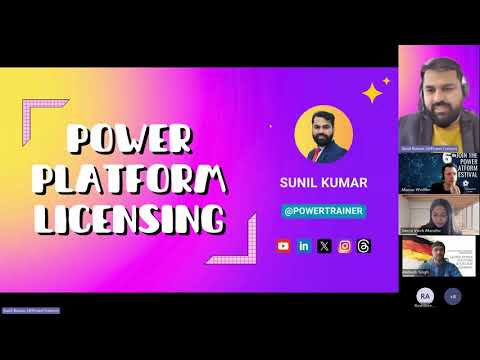
Power Platform Licensing: Save Money
Microsoft expert explains Power Platform licensing to cut spend and ensure compliance with Power Apps and Power Automate
Key insights
- Power Platform licensing: Covers who can build, run, or access solutions in Power Apps, Power Automate, Power Pages, Copilot Studio, Dataverse and AI Builder.
Choose licenses based on what each user, app, flow, connector and environment actually uses, not just headcount. - Power Apps options: Three main paths — Premium (per user for broad access; typical list price referenced ~ $20/user/month with volume discounts), Per app ($5/user/app/month for limited app access), and Pay‑As‑You‑Go for consumption-based scenarios.
Pick per‑user when users need many apps; pick per‑app or PAYG for targeted or infrequent use. - Power Automate models: Licenses split between user‑based and process‑based approaches, plus premium capability needs (premium connectors, RPA).
Use process licensing for shared or unattended automations; use user licensing for named users and attended automation. Document the boundary before deployment to control cost and compliance. - Copilot Studio: Offers a tenant plan (example: $200/tenant/month) and a pay‑as‑you‑go option.
Important: flows triggered from Copilot Studio do not automatically require an extra Power Automate Premium license — review the specific trigger and connector requirements for each flow. - Power Pages & seeded licensing: Power Pages bills by capacity and usage and distinguishes authenticated users from anonymous users.
Seeded licensing lets apps and flows that use only standard connectors run under included Microsoft licenses (like E3/E5) without extra premium seats — confirm connector usage carefully. - AI Builder, special licenses & best practice: AI Builder uses service credits included with some premium licenses; you can buy more credits and should track activity consumption.
Also watch for frontline, per‑flow and partner programs that can affect pricing. Always validate final decisions against the current Microsoft licensing guide and your tenant configuration to avoid costly mistakes.
Video at a glance
The YouTube video published by Power Platform Learners features Sunil, a self-described Power Platform licensing specialist, presenting at Global Power Platform Bootcamp Germany. He walks viewers through practical licensing choices for builders, architects, administrators, and decision-makers, emphasizing how licensing decisions affect both cost and compliance. Moreover, the session runs about 16 minutes and includes a clear timeline of topics so viewers can jump to areas of interest quickly.
Core licensing models: Power Apps and Power Automate
Sunil begins with an accessible breakdown of Power Apps models, contrasting per-user premium, per-app, and pay-as-you-go (PAYG) options, and he explains typical price points referenced in the session. He notes that the per-user model often suits people who use multiple apps while the per-app model can lower costs for large populations that only need one specific app. Therefore, teams must weigh predictable user footprints against sporadic or app-specific needs when choosing a plan.
Transitioning to Power Automate, the presenter separates user-based and process-based licensing and explains premium and process licenses for unattended automation. He clarifies that standard Microsoft 365 entitlements may cover basic automation, but premium connectors, advanced RPA, and certain hosted processes require standalone licensing. Consequently, organizations should assess whether automations run by many users or by a shared process, because that decision affects both cost and compliance requirements.
Copilot Studio and Power Pages: practical nuances
Sunil highlights important nuances for Copilot Studio, including a tenant-level plan often described as around $200 per month and a PAYG alternative, plus the critical clarification that flows triggered from Copilot Studio do not require an additional Power Automate Premium license. This point reduces a common fear about double-charging and illustrates how Microsoft sometimes ties entitlements across services to simplify cost. Still, organizations should verify their tenant setup since licensing rules can change and exceptions sometimes apply.
Regarding Power Pages, the video distinguishes between authenticated and anonymous users and explains that licensing often depends on capacity and usage rather than a simple per-user fee. As a result, teams building external-facing sites must balance the affordability of anonymous access against the security and tracking benefits of authenticated experiences. In practice, this creates a tradeoff between user convenience and granular control over who consumes capacity.
Seeded licensing, AI Builder, and special programs
Another useful section covers the concept of seeded licensing, which allows apps and flows built with standard connectors to run under existing Microsoft licenses like E3 or E5 in certain cases. Thus, some solutions avoid premium license costs by staying within standard connector scenarios, but that approach limits functionality and can require design compromises. Teams must therefore decide early whether they will accept functional constraints to reduce licensing costs or invest in premium connectors for richer scenarios.
Sunil also explains AI Builder consumption, noting that some premium licenses include credits while additional credits can be purchased for heavier AI use. Different AI activities consume credits at varying rates, so forecasting AI workloads plays a critical role in budgeting. Moreover, the presenter touches on partner and frontline-worker licensing programs that can provide alternative pathways, albeit with their own eligibility requirements and tradeoffs.
Balancing cost, compliance, and functionality
The session stresses tradeoffs and common challenges: choosing per-user versus per-app models, selecting process-based automation, and deciding when to adopt premium connectors or seeded patterns. For example, per-user licensing reduces administrative overhead for heavy app users but increases fixed costs, whereas per-app licensing can be cheaper but demands tight governance to avoid sprawl. Therefore, organizations should document intended usage, model costs for expected scenarios, and remain ready to adapt as actual usage data emerges.
Finally, Sunil recommends practical steps: map business scenarios to license types, monitor actual usage, and validate decisions against the current Microsoft licensing guide and tenant configuration. While the video provides a clear primer and helpful examples, the presenter reminds viewers that licensing terms evolve, so teams should revisit choices regularly to maintain compliance and control costs. In short, the presentation from Power Platform Learners is a concise, actionable resource for anyone designing or governing Power Platform solutions.

Keywords
power platform licensing, microsoft power platform licensing, power apps licensing explained, power automate licensing, power platform license costs, power platform licensing guide, avoid power platform licensing mistakes, power platform licensing expert