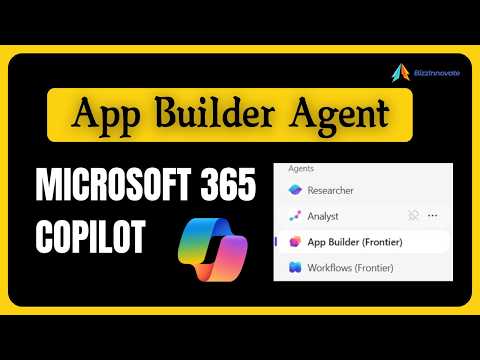
Microsoft 365 Copilot: App Builder Agent
App Builder in Microsoft Three Sixty Five Copilot creates no code apps with GPT five, SharePoint Lists and Office
Key insights
-
App Builder Agent in Microsoft 365 Copilot is a natural‑language tool that creates interactive apps without coding.
It uses plain English prompts to generate UI, data schema, and a working preview fast. -
Requirements and availability: you need a Copilot license and your admin must enable the feature; early access may come through the Copilot Frontier program.
The tool is currently available only in English and depends on tenant settings. -
How it works: describe your app in chat and App Builder produces the UI and backing data, often using SharePoint lists or Microsoft Lists to store data.
You can preview the app, ask for edits in the conversation, and iterate until it fits your needs. -
Key benefits include rapid prototyping and true no‑code empowerment for business users.
It speeds idea-to-app delivery and lets nondevelopers build forms, dashboards, calculators, and light workflows. -
Important limits: apps can only connect to Microsoft Lists/SharePoint data and support basic CRUD operations; you cannot edit the generated code manually.
The agent may struggle with complex designs or advanced integrations. -
Governance, sharing, and security: admins control availability, permissions, and deployment through the Agent Store and Copilot Studio for enterprise oversight.
Created apps can be shared across the organization and follow tenant compliance and policy settings.
BizzInnovate released a YouTube video that walks viewers through the new App Builder Agent inside Microsoft 365 Copilot. In clear steps, the video explains how the tool turns plain‑language descriptions into lightweight interactive apps, and it highlights where the feature fits in enterprise workflows. As a result, the piece is useful for business users who want to prototype ideas quickly without waiting for developer support.
What the video explains
First, BizzInnovate outlines the core purpose: the App Builder Agent generates UI scaffolding, a data schema, and a working preview when you describe an app in natural language. Then, the video shows how the agent produces supporting assets, typically by creating or linking a SharePoint list as the app’s data store so the app can operate immediately. Finally, the narrator demonstrates iterative refinement in Copilot chat, where you can ask for layout changes, validation rules, or new fields and see updated previews.
Moreover, the video notes that App Builder runs on GPT‑5 and appears through Microsoft’s Frontier early access program, so availability depends on licensing and tenant settings. BizzInnovate also points out that the feature integrates with the broader Copilot ecosystem, including the Agent Store and Copilot Studio for governance and lifecycle control. Consequently, the tool aims to shorten the gap from idea to working prototype while keeping enterprise management in view.
How App Builder works in practice
BizzInnovate demonstrates a typical workflow: enable the agent in Copilot → open the App Builder pane → describe the app in plain language → review the generated preview and data schema. The agent then creates or links a Microsoft Lists / SharePoint list, scaffolds a simple UI, and provides links to the created assets so users can share or manage them. Thus, the process emphasizes speed and ease for nondevelopers who understand the business need but not the code.
Next, the video shows hands‑on edits inside a Copilot chat session, where the presenter asks for sorting rules, validation checks, and visuals such as charts. This iterative loop lets the creator refine behavior without leaving the conversation, which is a key experience shift from drag‑and‑drop builders. However, the demo also highlights that the generated app remains lightweight and targeted to basic workflows, not complex enterprise applications.
Benefits and tradeoffs
As BizzInnovate emphasizes, the main benefit is rapid prototyping: teams can turn a written requirement into a working app in minutes, enabling faster feedback and earlier testing. In addition, this no‑code approach empowers subject matter experts to own the design of simple dashboards, lists, and calculators without developer handoffs. Consequently, IT can focus on higher‑risk integrations while business users try ideas quickly.
On the other hand, the video clearly addresses tradeoffs. App Builder supports only Microsoft Lists / SharePoint as primary storage and limits apps to CRUD operations, so teams that need rich integrations or custom logic will find the tool restrictive. Furthermore, you cannot manually edit the generated code and the agent struggles with complex design requirements, which means scaling a prototype into a production app can require a separate development path. Therefore, organizations must weigh speed against flexibility, and balance user autonomy with governance.
Governance, security, and limitations
BizzInnovate covers governance: tenant admins control who can add the agent, and Copilot Studio plus the Agent Store offer centralized management and deployment options. Thus, enterprises can apply compliance boundaries, control permissions, and monitor agent use, which helps align rapid prototyping with corporate policies. Nevertheless, the presenter stresses that admins must still plan for provisioning, storage limits, and lifecycle management of the created lists and apps.
The video also lists practical limitations: App Builder works only in English, relies on GPT‑5, and is available to licensed Copilot customers in Frontier or early access programs. Additionally, while the agent supports contextual details like people, tags, meetings, and documents, it cannot reach beyond the supported Microsoft data stores for app data. In short, this tool fits many common internal use cases but is not a full substitute for custom development or third‑party integrations.
Practical advice and challenges
Finally, BizzInnovate offers advice for teams trying the tool: start with low‑risk internal workflows, document the created assets, and involve IT early to establish guardrails for sharing and permissions. Moreover, the video warns that testing and governance are essential because prototypes can expand quickly across teams, creating unexpected data or permission issues. Therefore, a clear handoff plan is useful when a prototype must evolve into a managed production application.
In conclusion, the YouTube video provides a balanced overview of the App Builder Agent in Microsoft 365 Copilot, showing both the promise of fast, natural‑language app creation and the practical constraints organizations will face. As a result, business leaders can use the tool to accelerate experimentation while IT teams prepare policies for safe, scalable adoption.

Keywords
Microsoft 365 Copilot App Builder, App Builder Agent Microsoft 365 Copilot, Microsoft Copilot app development, Build apps with Microsoft 365 Copilot, Copilot App Builder tutorial, Copilot App Builder best practices, App Builder agent for Microsoft 365 developers, Automate app building with Microsoft Copilot