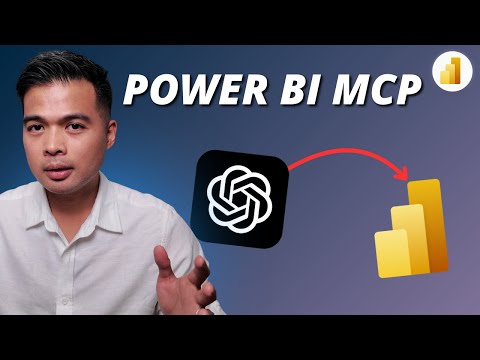
Power BI: AI Dev MCP Server Step-by-Step
AI powered Power BI MCP Server guide to install, use docs, automate bulk tasks and master DAX for Power BI development
Key insights
- What MCP servers do: Power BI Model Context Protocol servers let AI agents interact with Power BI semantic models programmatically.
They come in two flavors: the Modeling MCP server for editing models and the Remote MCP server for querying existing models. - Modeling capabilities: AI can create or update tables, columns, measures, and relationships.
It supports bulk operations, applies best practices, and validates DAX to reduce manual work and errors. - Querying and insights: The remote server enables natural-language queries against datasets and schema-aware responses.
AI can list tables, run DAX queries, and generate contextual insights from modeled data. - Productivity and quality gains: Conversational BI makes analytics accessible to non-specialists.
Automation speeds development, and built-in validation improves model accuracy and maintainability. - Getting started: Ensure admin approval and Power BI tenant settings are enabled, then install the MCP server and connect it to Power BI Desktop or the service.
Authenticate with Azure AD, test workflows locally, and move to production when ready. - Security and integration: MCP supports Azure AD authentication, permission checks, monitoring, and containerized deployment for scale.
It integrates with modern AI clients and LLMs (for example, GitHub Copilot or Claude) to power DAX generation and agent-driven workflows.
Intro: A Practical Walkthrough from Solutions Abroad
Fernan Espejo (Solutions Abroad) published a hands-on YouTube walkthrough titled AI-powered Power BI development, which focuses on Microsoft’s new Model Context Protocol. In the video, Espejo guides viewers through a step-by-step introduction to the MCP server and demonstrates how it can assist with everyday Power BI development tasks. He organizes the content around clear timestamps that cover installation, documentation, bulk tasks, and working with DAX, making the session easy to follow for practitioners. Consequently, the video serves as both an introduction and a practical demo for teams evaluating AI-augmented BI tools.
What the Video Explains About MCP
Early in the presentation, Espejo explains the two main MCP server roles: the modeling MCP server and the remote MCP server. The modeling server lets AI agents create or modify tables, columns, measures, and relationships, while the remote server focuses on querying existing semantic models. Moreover, he highlights that MCP opens the door for schema-aware queries and collaborative workflows between AI clients and Power BI semantic models. This context helps viewers understand how AI agents like modern LLMs can go beyond simple reporting and into active model management.
Installation, Authentication and the Demo Flow
Espejo walks through pragmatic setup steps that begin with confirming tenant settings and administrator approval, then move to installing the MCP server executable and connecting it to Power BI Desktop or a service workspace. He stresses secure access through Azure AD authentication, which ensures that permissions and roles remain enforced when agents interact with datasets. In addition, the video demonstrates how to use an MCP client—such as a Copilot-style tool—to send natural language prompts that translate into DAX queries or modeling commands. Therefore, viewers get a clear sense of prerequisites and the sequence for testing locally before wider deployment.
During the demo, Espejo also showcases bulk tasks and how the system validates DAX code and model changes. He runs examples that illustrate how AI can generate measures and perform batch updates while pointing out the logs and validation feedback the MCP server provides. As a result, the walkthrough clarifies how automation accelerates repetitive work while still leaving room for human review. This makes the video useful for teams planning pilot projects or wanting to adopt an incremental rollout.
Key Features Highlighted in Practice
The video places emphasis on a few standout capabilities, such as conversational BI, automated modeling, and Copilot-powered DAX generation that respects the model schema. Espejo demonstrates how natural language prompts can produce context-aware queries and even suggest modeling best practices. He also explores how the MCP architecture can integrate with different AI clients, enabling organizations to choose tools that fit their policies and workflows. Consequently, the presentation frames MCP as a flexible bridge between language models and enterprise data models.
Espejo further notes that MCP supports error handling, validation, and monitoring as part of a production-ready workflow. These safeguards help reduce the risk of incorrect formulae or model inconsistencies, and they enable teams to enforce governance standards. Meanwhile, the ability to run bulk operations offers big productivity gains for large datasets or multiple reports. Thus, organizations can weigh the productivity benefits against the need for strict testing and oversight.
Tradeoffs and Challenges to Consider
Although the promise of AI-assisted development is compelling, Espejo and the video imply several tradeoffs that organizations must manage. For instance, automation speeds delivery but increases the risk of unchecked changes if governance and approvals are weak, so teams must balance rapid iteration with strict controls. Furthermore, LLMs can generate plausible-sounding DAX that may be semantically incorrect, which makes validation and human review essential during early adoption phases.
Security and permissions add another layer of complexity because granting agents access to models requires careful role and tenant-level configuration. At the same time, operational costs and monitoring overhead grow as pipelines and containers enter production, which means teams must budget for observability and maintenance. In short, enterprises will need to trade some convenience for stronger processes, and they must invest in skills to interpret and verify AI-assisted outputs.
Practical Takeaways for Teams Evaluating MCP
For practitioners, Espejo’s video provides actionable steps: start with a small trial, require admin approval, enable tenant settings, and test in a controlled environment before deploying widely. Moreover, he advises using the model validation and logging features to build confidence in generated measures and queries while maintaining clear rollback procedures. By combining automated generation with a human-in-the-loop review, teams can capture productivity gains while limiting risks associated with model changes.
Ultimately, the walkthrough positions the MCP server as a notable shift in how teams can interact with Power BI semantic models, and Espejo’s clear demo helps viewers see both the promise and the practical hurdles. Therefore, organizations should pilot carefully, invest in monitoring and governance, and train staff to validate AI output so that the benefits of faster development do not come at the cost of model quality or security.

Keywords
AI powered Power BI development, Power BI MCP Server walkthrough, Power BI step by step tutorial, AI in Power BI reporting, Power BI developer guide 2025, Power BI automation with AI, Power BI server setup MCP, Power BI AI features demo