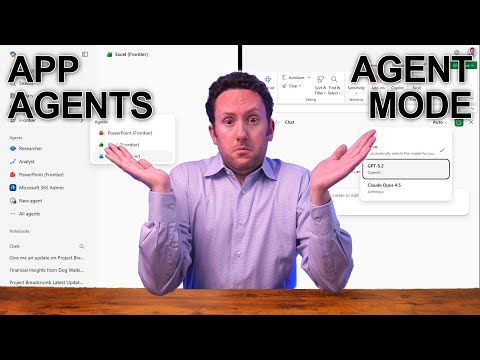
Copilot Chat: Agent Mode vs App Agents
Consultant at Bright Ideas Agency | Digital Transformation | Microsoft 365 | Modern Workplace
Microsoft expert compares Agent Mode vs app agents in Microsoft Copilot for Word Excel PowerPoint to accelerate adoption
Key insights
-
This YouTube video explains how Agent Mode and Office Agent expand Microsoft 365 Copilot to handle multi-step work inside apps and in chat.
It contrasts app-based AI assistance with chat-first agents and shows common task examples. -
Where they run: Agent Mode runs inside Word, Excel, and PowerPoint (web-first with desktop rollouts), while Office Agent works from Copilot Chat to assemble near-final files.
The features are rolling out in phases from late 2025 into early 2026. -
Key capability: intelligent task orchestration — give a high-level prompt, and Copilot plans, researches, and executes multi-step tasks with visible reasoning and progress.
This replaces manual step-by-step work for common needs like reports, decks, and data summaries. -
Excel highlights: teams can pick AI backends (for example, Anthropic or OpenAI) and use built-in web-based research so spreadsheets can pull current, trusted info without leaving the workbook.
Model choice lets organizations balance performance and policy needs. -
Interaction style: agents ask clarifying questions, iterate on drafts, and deliver formatted deliverables (presentations, documents, or analyses) you can refine in context.
Expect faster drafts and easier revisions through conversational prompts. -
Adoption tips and cautions: treat demo examples as illustrative — verify outputs before publishing, follow Responsible AI and data policies, and confirm licensing and availability for your tenant before rollout.
Choose models and access controls that match your organization’s privacy and compliance needs.
Nick DeCourcy (Bright Ideas Agency) published a YouTube video that breaks down the new options for AI assistants inside Microsoft 365 Copilot, focusing on the differences between Agent Mode in Office apps and the Office Agent option in Copilot Chat. The video explains how these features aim to streamline complex tasks by letting users give high-level instructions instead of executing many manual steps. Consequently, organizations and individual users must understand when each approach makes sense for productivity, compliance, and user experience.
What Agent Mode and Office Agents Do
First, the video clarifies that Agent Mode runs inside Office apps like Word, Excel, and PowerPoint to orchestrate multi-step workflows directly in the file you are working on. In contrast, the Office Agent in Copilot Chat starts in a chat-first environment and can research, assemble, and deliver near-final documents without requiring you to be in a specific application. Therefore, users get two complementary paths: in-app, iterative construction or chat-driven research and delivery.
Moreover, the presenter highlights the visible reasoning and step-by-step plan that Agent Mode can display as it acts on a document or workbook, which helps users follow the AI’s decisions. Meanwhile, Office Agent focuses on end-to-end assembly and can clarify requirements before producing a polished output. As a result, both approaches aim to reduce repetitive tasks while preserving transparency.
Availability and Rollout Considerations
The video summarizes Microsoft’s phased rollout: Agent Mode is generally available in Word on the web, with desktop versions arriving later, while PowerPoint and Excel capabilities are rolling out through preview programs. The presenter notes that the Office Agent experience began to ship via early-access programs in late 2025 for certain Microsoft 365 subscription tiers in the US, and broader preview features are expected into early 2026. Thus, organizations must account for staged access and platform differences when planning adoption.
Consequently, timing and licensing affect which teams can use which features today and which will wait. In particular, Excel’s rollout introduced a choice between model providers, and PowerPoint remains available primarily through preview channels for early adopters. Therefore, IT leaders should map feature availability against business priorities and pilot groups.
Capabilities and Practical Use Cases
The video demonstrates practical scenarios such as asking an agent to “create a deck summarizing the top five trends” where the system clarifies scope, audience, and visuals before building the deliverable. In addition, Excel’s agent mode can pull web-based research into spreadsheets and offers a selection between reasoning models, which helps teams blend current information with internal data. Consequently, these tools can save time when developing reports, presentations, or data analyses that normally require many manual steps.
Furthermore, the ability to choose reasoning models in Excel — including options from Anthropic or OpenAI — provides flexibility for organizations that have preferences about model behavior, safety, or alignment. However, this flexibility introduces operational choices: teams must evaluate model quality, cost, and compliance implications before committing. Therefore, real-world use will depend on both technical fit and governance policies.
Tradeoffs and Challenges
Importantly, the video highlights several tradeoffs between automation and control. While Agent Mode streamlines file-level edits and keeps context local to the document, it can encourage reliance on automated actions that require review; conversely, Office Agent in chat can produce finished products quickly but may need closer scrutiny of sources and assumptions. As a result, users must balance speed with the need for verification and human oversight.
Moreover, choosing between model providers presents additional tradeoffs around accuracy, safety, latency, and cost. Organizations must also address privacy, compliance, and data governance because agents may access internal files and web content during research. Consequently, IT and security teams need clear policies and testing to ensure the tools meet regulatory and internal standards.
Adoption Tips and Best Practices
Finally, the presenter recommends piloting features with defined use cases and training users to validate outputs rather than treat them as final work. Furthermore, organizations should document workflows that combine agent-driven automation with human review steps and track outcomes to refine guardrails over time. Thus, a phased, measured approach tends to produce better results than wholesale, unstructured adoption.
In summary, Nick DeCourcy’s video offers a practical walkthrough of how Agent Mode and Office Agent expand Microsoft 365 Copilot’s capabilities, while also underscoring the need to weigh availability, governance, and human oversight. By comparing in-app orchestration with chat-first assembly, teams can choose the approach that fits their workflows and controls, and then iterate on policies and training as those features become broadly available.

Keywords
Microsoft 365 Copilot agent mode, Copilot Chat app agents, agent mode vs app agents Copilot, maximize Microsoft 365 Copilot, Copilot Chat best practices, Copilot agent setup guide, Microsoft Copilot productivity tips, automating tasks with Copilot agents