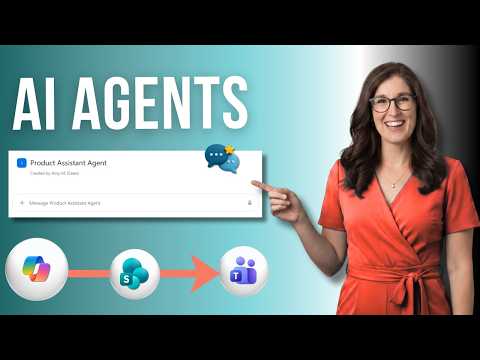
SharePoint Agents: 7 Essential Tips
SharePoint agents in Microsoft cloud: scope to libraries and lists, build custom Copilot agents and share them via Teams
Key insights
- SharePoint Agents
AI assistants tied to SharePoint content that answer natural‑language questions using only files and sites a user can access.
They help teams find answers faster and turn site content into a focused, searchable knowledge helper. - Scoping
Agents live with the content and can be scoped to a whole site, a document library, a folder, or selected files.
Scoping keeps responses relevant by limiting the agent to a specific set of documents. - Types
There are ready‑made agents that come with a site and custom agents you create and tune.
Custom agents let editors set a name, brand, content scope, and behavior instructions for specific business needs. - Identity & Sources
Agents draw from up to 20 source items (sites, libraries, folders, files) and respect user permissions for trusted answers.
Set the agent identity and approved sources so it only reads the content you want it to use. - Licensing & Permissions
Using or editing agents typically requires a Microsoft 365 Copilot license or an organization pay‑as‑you‑go option plus edit rights on the SharePoint site.
Admins should use site controls and governance settings to manage who can create and edit agents. - Sharing & Benefits
Agents integrate with Teams and the Copilot app so teams can access scoped knowledge where they work, reducing manual searches.
Clear behavior instructions and governance improve answer quality and keep responses on target.
Overview: What the Video Covers
The YouTube video by Office Skills with Amy provides a concise tutorial on SharePoint Agents, describing seven practical points about setting them up and using them in teams. The presenter explains what agents are, how to scope them to sites, libraries, and lists, and how to create both ready-made and custom agents. Importantly, the video shows how agents can be grounded in specific documents and configured with behavior instructions so they respond in a predictable way.
Moreover, the video highlights integration points such as access from Teams and the evolving Microsoft branding around Copilot and AI in SharePoint. The host also touches on governance, permissions, and licensing requirements. As a result, viewers get a practical roadmap for adopting agents in everyday work scenarios like project collaboration and content discovery.
How SharePoint Agents Work
According to the video, a SharePoint Agent is a natural-language assistant that answers questions using content stored in SharePoint sites, pages, libraries, folders, and files. The assistant only uses content that the asking user already has permission to view, which helps preserve data security and reduce accidental exposure. In addition, agents can be pre-built for a site or custom-tailored by site owners and editors.
Furthermore, the video explains that agents can rely on a limited set of source items—Microsoft currently notes a cap such as up to twenty items—so creators must pick the most relevant documents and folders as the agent’s knowledge base. This scoping makes agents faster and more focused, while also simplifying monitoring and compliance. Consequently, teams can create targeted assistants that serve specific projects or workflows.
Creating and Scoping Agents
The tutorial walks viewers step-by-step through creating a custom agent: defining a name, choosing content sources, and instructing the agent’s behavior and tone. The presenter emphasizes practical choices, including whether to scope an agent to an entire site, a single document library, or a list, and how these choices affect relevance and risk. For example, scoping to a single library narrows results and reduces noise.
At the same time, the video notes tradeoffs: narrower scopes increase precision but can miss broader context, while wide scopes capture more material but may return less focused answers. Therefore, creators must balance the desire for thorough answers against the need for accuracy and speed. The host also points out the benefit of testing and iterating the agent’s instructions to refine performance.
Governance, Access and Licensing
The presenter covers governance, noting that organizations must manage who can create and edit agents and how agents are shared across teams. In particular, editing an agent requires edit permissions on the site that stores the agent, which preserves administrative control. Likewise, Microsoft ties access to licensing: using agents usually requires a Microsoft 365 Copilot license or an organization-enabled pay-as-you-go option.
These controls create tradeoffs between agility and oversight: giving more users the power to create agents speeds adoption, yet it increases the need for training and monitoring to avoid inconsistent or risky behavior. Therefore, IT and content owners should establish clear policies and audit routines before scaling agents widely. The video recommends starting small and using site-level settings to maintain control.
Practical Benefits and Implementation Challenges
Practically speaking, the video highlights several benefits: agents can speed content discovery, reduce manual search time, and surface project-specific answers, which helps teams work more efficiently. Moreover, because responses are permission-aware, users often get trustworthy answers tied to their organization’s documents rather than generic web content. As a result, agents can add real productivity value when set up carefully.
However, the tutorial also points out challenges, such as tuning agent behavior, ensuring coverage of key documents, and handling content updates that can change results over time. There is also the technical and organizational complexity of licensing, permissions, and integration with tools like Teams. Thus, organizations must weigh the upfront work of preparing content and governance against the potential gains in speed and consistency.
Takeaways for Teams and Leaders
In conclusion, the video from Office Skills with Amy offers a useful, practical introduction to adopting SharePoint Agents in the workplace. It encourages teams to design agents with clear scopes and behaviors, to start small, and to apply governance so that the assistants remain reliable and compliant. Consequently, leaders should plan pilot projects, assign owners, and iterate based on feedback.
Finally, while agents can significantly improve access to organizational knowledge, success depends on careful scoping, ongoing maintenance, and clear permission models. Therefore, adopting agents represents a tradeoff: invest time in setup and governance up front to reap smarter, permission-aware answers that help teams work faster and with greater confidence.

Keywords
SharePoint Agents tutorial, SharePoint Agents explained, how to use SharePoint Agents, SharePoint Agents best practices, SharePoint Agents setup guide, SharePoint automation with Agents, troubleshoot SharePoint Agents, SharePoint Agents for administrators