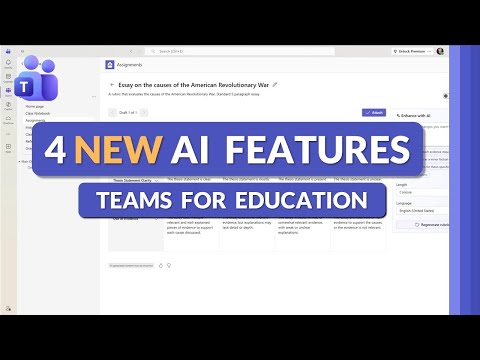
Microsoft Teams: 4 New Education Tools
Principal Group Product Manager - Microsoft Education
Microsoft Teams Education gains Copilot in Classwork for AI quizzes rubrics and feedback for Microsoft Three Sixty Five
Key insights
- AI-powered features in Microsoft Teams for Education (2026) bring four new tools into the Classwork area and are available to all educators with Microsoft 365.
- Create with Copilot lets teachers type a topic, grade, or objective and get an editable lesson plan or activity draft tailored to subject and level.
- Flashcards and Fill-in-the-Blanks generate interactive review items that attach directly to assignments, making rehearsals and quick checks faster to build.
- Rubrics created with standards automatically align grading criteria to K–12 benchmarks; teachers can edit for fairness and clarity before use.
- Copilot Quiz creation plus AI-Enhanced Feedback produces quizzes quickly and gives personalized grading suggestions that highlight strengths, errors, and next steps.
- Time savings and Personalization are the main benefits: teachers prompt Copilot, edit the output, attach tasks to classwork, assign, then review AI feedback—keeping final control while reducing repetitive work.
Overview
Mike Tholfsen’s recent YouTube tutorial walks viewers through four new AI features in Microsoft Teams for Education released in 2026. In the video, he demonstrates Create with Copilot in Classwork, interactive Flashcards and Fill-in-the-Blanks activities, automated rubric creation tied to standards, and Copilot-driven quiz creation with AI-enhanced feedback. Importantly, he notes these tools are available to all educators using Microsoft 365, regardless of license, which aims to broaden access to AI-assisted teaching tools. Consequently, the update positions Copilot as a classroom assistant that helps with planning, assessment, and feedback.
How the Features Work
First, the Create with Copilot in Classwork feature uses natural language prompts so teachers can generate draft lessons, assignments, and activity descriptions simply by describing the topic and grade level. Next, the AI can produce interactive materials such as flashcards or fill-in-the-blanks that attach directly to assignments, thereby saving time when building review activities. Additionally, Copilot can build rubrics that align to K‑12 standards, producing criteria and scoring language that teachers can edit before use. Finally, quiz creation and AI-enhanced feedback let educators generate questions quickly and receive suggested feedback and grading notes to accelerate assessment.
Benefits for Teachers and Students
The update promises clear time savings because Copilot automates many repetitive tasks like drafting instructions and designing rubrics, which allows teachers to spend more time on instruction and student support. Furthermore, the tools encourage personalization: teachers can tailor flashcards, quizzes, and reading passages to match student levels and interests, which tends to improve engagement. Moreover, AI-generated feedback offers faster responses so students receive targeted guidance sooner, enabling quicker learning adjustments. As a result, educators can strike a better balance between planning workload and direct instruction.
Tradeoffs and Challenges
However, the adoption of AI in classrooms comes with tradeoffs that educators and administrators must weigh carefully. For instance, automation speeds content creation but may introduce inaccuracies or generic phrasing, so teachers must review material to keep it accurate, relevant, and culturally appropriate. In addition, personalization can enhance learning but raises privacy concerns and data governance questions, especially when tools analyze student work to tailor feedback. Therefore, schools will need clear policies and training to manage privacy, ensure algorithmic fairness, and uphold assessment integrity.
Practical Considerations and Adoption
Schools will face practical decisions when implementing these features, including connectivity, professional development, and alignment with local standards and grading policies. Moreover, teachers may need time and support to trust AI suggestions and to refine the outputs into high-quality lessons that reflect their instructional goals. Meanwhile, administrators must balance the promise of efficiency against the need for oversight, ensuring rubrics and feedback remain equitable and standards-aligned. Ultimately, successful adoption will depend on training, clear workflows, and ongoing evaluation of classroom impact.
Implications and Next Steps
Looking ahead, the new Teams features reflect a broader trend of integrating generative AI into education tools to save time and personalize learning, but they do not remove the teacher’s central role. Consequently, educators should view Copilot as an assistant rather than a replacement: it can jump-start planning and offer feedback drafts, but teachers still design final content, assess nuance, and support student learning. Meanwhile, districts should pilot the features, gather teacher feedback, and update policies to address privacy and fairness concerns before wide rollout. By doing so, schools can harness the benefits of AI while managing risks and preserving high standards for instruction.

Keywords
Microsoft Teams for Education 2026, 4 new features Microsoft Teams Education, Microsoft Teams education updates 2026, Teams classroom features for teachers, Microsoft Teams AI features education, Teams assignments update 2026, Teams meeting tools for schools, Microsoft Teams admin education updates