Overview
Tech newsroom reporting on a recent tutorial video from Tech Tweedie reveals a practical guide aimed at beginners who want to automate deployments for the Power Platform. The video walks viewers step-by-step through creating a first pipeline in Azure DevOps, connecting it to Dataverse, and exporting solutions into source control. Importantly, the presenter breaks down technical steps into approachable actions, making the topic accessible to people with limited DevOps experience. As a result, organizations and individual makers can quickly see how to introduce repeatable deployment practices.
What the Video Covers
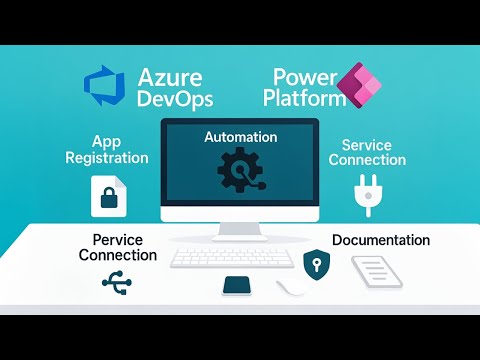
The tutorial begins by explaining how to register an application and configure a secure service connection from Azure DevOps to the Dataverse environment. Next, it demonstrates installing the Power Platform Build Tools, preparing a repository, and running the first pipeline that exports both managed and unmanaged solutions. Then, the author shows how to unpack solution artifacts into source control and includes the exact YAML used so viewers can reproduce the pipeline precisely. Finally, the guide addresses some common errors, such as missing build service permissions, and provides fixes so teams do not stall on early setup issues.
Why This Matters
Automating solution exports and deployments brings immediate benefits by protecting against accidental data loss and eliminating manual steps that often cause mistakes. Moreover, teams gain version history and consistent deployment records, which are essential for governance and auditing in larger organizations. Consequently, the tutorial points out that once you build this foundation, you can move toward automated testing, multi-environment ALM, and cross-tenant deployments with far less friction. In short, the video frames pipelines as the starting point for professionalizing Power Platform development.
Tradeoffs and Practical Challenges
Despite clear benefits, the move to pipelines requires decisions and tradeoffs that teams should weigh carefully. For example, choosing between Microsoft-hosted agents and self-hosted agents affects cost, speed, and security: hosted agents simplify management but may limit custom tooling, while self-hosted agents demand more maintenance yet enable more control. Furthermore, adopting service principals or Managed Identity reduces credential handling but requires careful permission planning to avoid overly broad access.
Another challenge involves handling solution dependencies and environment differences. While the pipeline automates export and import, complex solutions with interdependent components sometimes fail during import, which forces teams to enhance solution decomposition or adjust import order. Therefore, organizations must invest time in designing their repository layout and pipeline stages to reduce brittle deployments, even though that effort slows initial adoption.
How to Get Started and Next Steps
The video makes a sensible starting checklist: set up an Azure DevOps organization and project, create a Git repository, add the Power Platform Build Tools, register an application for service connections, and then create a build pipeline using the provided YAML. After teams complete these steps, they should run exports and verify that artifacts land in source control as expected. Then, they can add release stages to promote packages into test and production environments, increasing confidence with staged rollouts and approvals.
Looking ahead, the presenter suggests practical follow-ups like automating documentation, tracking changes to flows, and integrating automated tests. Additionally, teams may consider porting the approach to alternative CI/CD systems later, but initially focusing on a single, repeatable pipeline reduces complexity. Ultimately, the recommended progression balances the need for speed with the need for stable governance and quality controls.
Concluding Assessment
In summary, Tech Tweedie delivers a clear, hands-on primer that helps beginners build their first Azure DevOps pipeline for the Power Platform. The tutorial succeeds by combining practical steps, ready-to-use YAML, and troubleshooting tips that reduce common friction points when teams start using DevOps workflows. Nevertheless, organizations should plan for tradeoffs around agent choice, identity management, and solution complexity, because those decisions influence security and operational burden.
Therefore, viewers who follow the tutorial will gain a functional pipeline quickly, but they should also prepare for an iterative improvement process that addresses permission models and solution design over time. By taking these next steps, teams can move from one-off deployments to a repeatable, governed ALM practice that supports enterprise-grade development of the Power Platform.