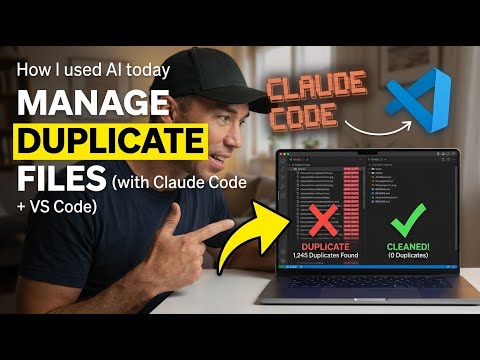
Overview of the Video
In a recent YouTube video, author Daniel Anderson [MVP] demonstrates how he used Claude Code inside Visual Studio Code to locate and remove duplicate files from a personal PC. Specifically, he shows a step‑by‑step "find → verify → delete" approach that removed 408 duplicate files during a live workflow. The video emphasizes that a conversational, multi‑step process works better than issuing a single, broad command to an AI assistant.
How the Workflow Works
First, Daniel Anderson [MVP] outlines the principle behind the process: ask the agent to search, ask it to verify each candidate, then confirm deletion only after verification. He demonstrates the technique in three clear stages so viewers can follow the logic and reproduce the steps. The method applies to multiple AI tools, including Copilot and ChatGPT, because the underlying idea is about controlled, iterative prompting rather than a one‑shot instruction.
Why Verification Matters
The video stresses that AI models can be powerful yet fallible, especially when they perform destructive actions like deleting files. Consequently, Anderson insists on a separate verification step to avoid accidental removal of important data, and he shows how to generate a detailed log of everything removed. In addition, he points out that tools such as plan mode or separate writer and reviewer instances can reduce risk by keeping automated edits transparent and reversible.
Causes and Consequences of Duplicate Files
Anderson explains that duplicates often appear because agents create iterative attempts or place edits in parallel folders instead of replacing the original file. This behavior can break builds, for example by triggering “multiple commands produce …” errors in certain toolchains, and it creates configuration drift that requires manual cleanup. He references community reports and vendor guidance that document similar issues and describe how CLAUDE.md discovery and repeated edit runs can amplify the problem.
Tradeoffs and Practical Recommendations
The tutorial balances automation benefits against safety tradeoffs, noting that aggressive settings like auto‑accept edits speed work but raise the chance of unwanted changes. Conversely, conservative workflows reduce risk but cost time and require more human attention; therefore, teams must weigh productivity gains against potential cleanup and review overhead. Anderson recommends simple safeguards: run searches in dry‑run mode, keep a robust log, maintain backups, and prefer a stepwise conversation that allows manual confirmation before destructive steps.
Enterprise and Integration Considerations
Moreover, the video touches on how enterprises use Claude Code with established tooling and policies, including routing agent activity through cloud credentials and adjusting agent modes for safety. In large repos or monorepos, the agent’s context discovery—especially via CLAUDE.md—can lead to divergent edits if teams do not standardize context files. Thus, IT and engineering managers should configure agent permissions, define plan modes, and separate writer and reviewer roles to reduce unintentional file creation.
Challenges and Limitations
Anderson also discusses practical challenges such as managing agent memory during iterative runs and the difficulty of detecting subtle duplicates created by naming variations or nested folders. He shows that automated detection helps but can miss edge cases, and that running multiple cleanup passes without resetting context may recreate duplicates. Therefore, he advocates combining AI assistance with traditional tools and scripts to ensure thorough and repeatable cleanup.
Key Takeaways for Practitioners
In conclusion, the video offers a reusable framework rather than a single‑tool tutorial: search, verify, then delete, while logging every action for traceability. While Claude Code and similar agents speed repetitive tasks, responsible use requires deliberate prompting, verification steps, and conservative settings in production environments. By following these practices, teams can enjoy automation benefits while reducing the risk of accidental data loss or build breaks.
Final Thoughts
Overall, Daniel Anderson [MVP] provides a clear, practical demonstration that will help developers and IT teams adopt AI‑driven cleanup responsibly. The live deletion of 408 duplicate files serves as a vivid example of both the power and the hazards of agent‑led automation, and the stepwise method he shows is easy to replicate. Consequently, viewers should leave with a balanced view: AI can save time, but only when paired with careful verification and proper operational controls.