- All of Microsoft
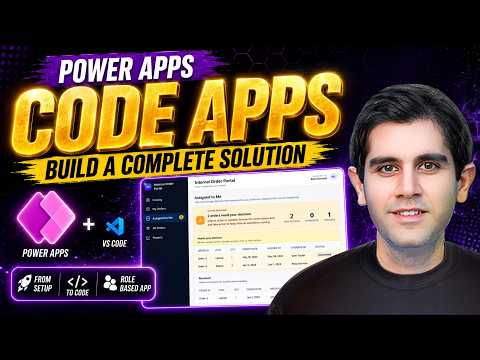
Power Apps: Step-by-Step Code App Guide
Principal Program Manager at Microsoft Power CAT Team | Power Platform Content Creator
Microsoft guide to Power Apps Code Apps build Internal Order portal with Dataverse VS Code role based access deployable
Key insights
- This tutorial shows how to build a complete Internal Order Supply App from scratch with a modern UI and role-based access for admins and users.
It covers the full flow from setup to final deployment so you can reuse the solution in your organization. - Environment setup walks through installing Power Apps, VS Code, Node.js and the Power Platform CLI to scaffold, develop, and package code apps.
These tools let you build pro-code components alongside low-code screens. - The data model uses Dataverse tables for relational data like catalogs, orders, and reports, with tips for offline support and syncing.
This ensures consistent storage and easier reporting across environments. - Development mixes Power Fx logic with pro-code controls and shows using Vibe Code or AI-assisted coding to speed UI and business logic creation.
The video demonstrates generating code, wiring data sources, and testing locally. - Packaging explains how to bundle screens, tables, and business rules into a deployable solution that you can import into other tenants or environments.
It covers adding data sources and exporting the final solution for deployment. - Primary features include a browsing catalog, placing orders, "My Orders" for users, and admin views for "Assigned to Me," "All Orders," and "Reports," all enforced with role-based UI and logic.
The app shows practical role separation and real-world workflows for internal order management.
Quick overview of the video
Reza Dorrani published a comprehensive tutorial that walks viewers through a full build of an internal supply ordering app using Power Apps CODE Apps. First, he outlines the goal: a deployable portal where employees can browse a catalog, place orders, and track requests while admins can assign orders, view assignments, and generate reports. Then, he promises a start-to-finish workflow covering environment setup, data design, UI construction, and packaging for deployment. Overall, the presentation targets both newcomers curious about code-first apps and practitioners seeking a reproducible solution.
Tools, environment and workflow
In the video, Dorrani shows how to prepare a development environment by pairing Visual Studio Code with the Power Platform CLI and other necessary tools such as Node.js. Next, he configures the project to use Dataverse for data storage and explains how to scaffold a CODE App, initialize the repository, and add data sources. Additionally, he demonstrates "vibe coding" assistance using AI tools like Claude Code or GitHub Copilot to speed up routine tasks while emphasizing the importance of verifying generated code.
Core features demonstrated
During the build, the video covers the main functional blocks: database tables, role-based screens, business logic, and reporting. For example, Dorrani creates Dataverse tables for catalog items and orders, then wires UI components to display "My Orders," "Assigned to Me," and "All Orders" depending on the signed-in role. Moreover, he implements role-based access control so that admins see assignment and reporting screens while regular users see catalog and order-tracking pages. Consequently, the demo provides a clear mapping from data model to user experience.
Technical approaches and tradeoffs
While the tutorial favors a code-centric route, it also highlights tradeoffs between low-code speed and pro-code control. On one hand, using CODE Apps with code components increases flexibility, enables reuse, and supports advanced patterns; on the other hand, it adds complexity in build pipelines, testing, and long-term maintenance. Therefore, teams must balance speed of delivery against future maintainability, choosing pro-code only where low-code cannot meet requirements.
Additional challenges and considerations
Security and data design emerge as recurring challenges in the walkthrough, especially when implementing role-based logic that must remain robust as the app scales. Furthermore, performance and offline behavior require careful attention because code components can bypass some built-in optimizations found in pure low-code flows, so developers should test data loads and UI responsiveness under realistic conditions. Finally, the video notes that packaging and migration across environments need disciplined versioning and environment-aware configuration to avoid surprises during deployment.
Deployment, best practices and takeaways
Reza Dorrani closes by packaging the solution into a deployable artifact and showing the deployment path so others can reproduce the steps in their tenant. He also recommends practical best practices: use source control, automate builds with the Power Platform CLI, and document data contracts and role mappings to keep teams aligned. As a result, viewers receive a practical blueprint they can adapt, while being reminded to weigh the tradeoffs between immediate delivery and long-term upkeep.
Who will benefit and where to proceed next
This video suits developers and power users who want to move beyond drag-and-drop and build reusable, code-driven apps on the Microsoft platform. For teams, the tutorial serves as both a teaching tool and a reference implementation that highlights design decisions, common pitfalls, and realistic tradeoffs in governance, security, and performance. In short, the presentation offers a balanced, actionable guide that helps practitioners decide when to adopt CODE Apps and how to structure builds for future growth.

Keywords
Power Apps tutorial, Power Apps full course, Power Apps step by step, Build Power Apps, Power Apps coding tutorial, Power Apps code apps, Power Apps app development, Power Apps beginner tutorial