- All of Microsoft
Copilot Studio: Build Connected Agents
Software Development Redmond, Washington
Copilot Studio expert shows multi-agent connected agents scheduling interviews and fetching candidate data via Copilot
Key insights
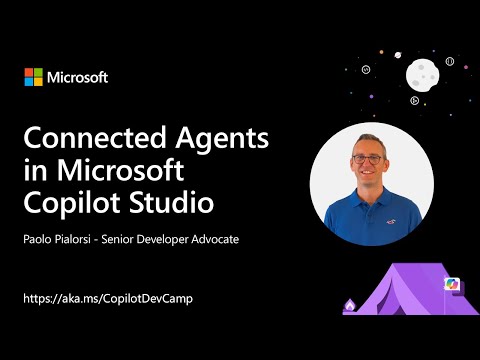
- Connected Agents demo overview: The video, presented by Paolo Pialorsi, shows how to build a multi-agent system in Microsoft Copilot Studio.
It demonstrates an Interview Coordinator parent agent that uses a child agent to schedule interviews and a connected agent to fetch candidate details. - What connected agents do: Connected agents enable multi-agent orchestration, letting agents hand off tasks, share context, and complete workflows together.
Supported preview sources include Azure AI Foundry, Microsoft Fabric, the Microsoft 365 Agents SDK, and the Agent-to-Agent (A2A) protocol. - Platform basics: Use the Agents page in Copilot Studio to add or remove connections and toggle agents on or off.
Developers can test and verify handoffs by saving topics and running scenarios to confirm quick replies, adaptive cards, and redirects work as expected. - Orchestration mechanics: Agents route tasks based on specialized knowledge and can call tools like Power Automate, prompts, or APIs to complete steps.
Teams of agents support dynamic planning, task escalation, and modular, reusable components for complex business flows. - Deployment and governance: You can publish agents to Microsoft Teams, SharePoint, and Microsoft 365 Copilot, with more channels planned.
Admins manage lifecycle and compliance through the Power Platform admin center and monitoring tools such as Microsoft Purview and Viva Insights. - Benefits, limits, and how to start: Benefits include streamlined workflows, scalability, and centralized security and insights.
Limitations remain in public preview (for example, some Fabric Data agent redirect behavior).
To get started: create an agent in Copilot Studio, open the Agents page, add child or connected agents, save, and test topic handoffs.
Video summary
The YouTube video, published by Microsoft, demonstrates how to build multi-agent systems inside Copilot Studio. The presenter walks through a hands-on demo that centers on an Interview Coordinator agent which delegates scheduling to a child agent and queries a connected agent for candidate details. In short, the clip shows how agents can cooperate to complete end-to-end tasks within a business workflow.
Furthermore, the recording is part of the Copilot Developer Camp labs and aims to teach developers how to connect internal and external agents. It highlights practical steps from creating agents to testing handoffs and publishing into Microsoft 365 environments. As a result, viewers gain a clear sense of the feature set and typical usage scenarios.
Demo walkthrough
In the demo, the presenter configures the main agent to route interview scheduling to a lightweight child agent, while using a separate connected agent to look up candidate information. The sequence shows the parent agent identifying a task, delegating it, and then combining results to complete the workflow. Consequently, the audience sees a realistic example of task delegation and data retrieval across agent boundaries.
Moreover, the video illustrates the Agents page in Copilot Studio, where developers add, enable, disable, and remove agent connections. The presenter tests topics to verify that quick replies and adaptive cards behave as expected, and he notes several current limitations. Thus, the demo balances practical setup steps with a candid view of what works and what remains preview-only.
Technical foundations
The architecture relies on a mix of embedded child agents and externally connected agents that communicate through supported protocols. For example, the demo references agent-to-agent patterns that let agents hand off responsibilities, call APIs, or invoke automation flows. In addition, developers can plug in models or services from broader Microsoft AI offerings to enrich agent capabilities.
Also, the system supports deployment to common Microsoft 365 surfaces, enabling agents to run in tools such as Teams and the broader 365 Copilot experience. Governance and lifecycle management integrate with admin controls so organizations can track usage and manage access centrally. Therefore, the design emphasizes both developer productivity and operational oversight.
Tradeoffs and challenges
While connected agents offer clear benefits, tradeoffs arise between flexibility and control. On one hand, mixing child and connected agents increases modularity and reusability, which accelerates development. On the other hand, adding more components raises complexity in testing, debugging, and monitoring, especially when external services are involved.
Moreover, the preview status of some integrations means developers must plan for evolving APIs and intermittent limitations, such as restricted UI redirects for certain agent types. This requires extra testing and potential redesign later, which can impact timelines. Therefore, teams should balance the immediate productivity gains against the long-term maintenance effort and governance needs.
Implications for organizations and next steps
For organizations, the approach promises to streamline multi-step business processes by automating handoffs and combining specialized skills across agents. Consequently, routine workflows like scheduling, document generation, and data lookup can become faster and less error-prone when orchestrated correctly. Yet, companies must invest in governance, monitoring, and clear ownership models to avoid drift and security gaps.
Looking ahead, teams should start with clear, scoped pilots to validate assumptions and measure ROI before broad rollout. In addition, developers should prioritize building modular agents that can be reused and audited, and administrators should adopt centralized controls for lifecycle and compliance. Ultimately, the video provides practical guidance while reminding viewers that careful planning matters as features continue to mature.
Keywords
Connected Agents Microsoft Copilot Studio, Copilot Studio connected agents, Microsoft Copilot multi-agent workflows, Copilot Studio agent integration, Copilot connected agent orchestration, Copilot Studio AI agents, Copilot agent connectors, Multi-agent Copilot collaboration