- All of Microsoft
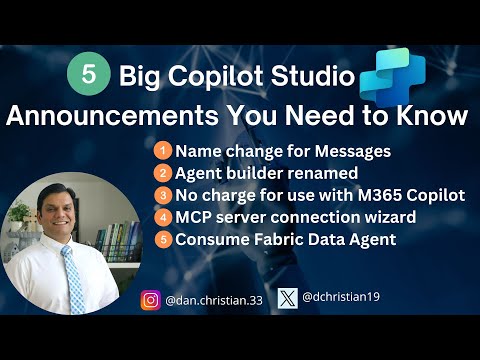
Copilot Studio: 5 Must-Know Updates
Lead Infrastructure Engineer / Vice President | Microsoft MCT & MVP | Speaker & Blogger
Copilot Studio: messages renamed, Agent Builder Copilot Studio Lite, MCP connector preview, Fabric Data Agent support
Key insights
- Copilot Studio now uses GPT-5 to power smarter agents with better multi-turn reasoning and business logic.
Agents can handle more complex tasks and follow longer, context-rich conversations. - Agent Builder was renamed Copilot Studio Lite and messaging labels changed to improve clarity for creators.
This makes low-code/no-code agent creation easier to find and use. - Security and compliance improved with Microsoft Information Protection (MIP) labeling and Purview integration across agents and connectors.
Admins can enforce policies and track risky activity through the new Copilot Control System. - Developer tools expanded: a Visual Studio Code extension, the Model Context Protocol (MCP), and an MCP connector wizard in public preview speed up secure connections to Dataverse, Dynamics, and Azure.
Teams can also bring tuned models from Azure AI Foundry and use Fabric Data Agent support. - New channels and features include direct agent publishing to WhatsApp (preview), consuming Fabric Data Agents in Copilot Studio, and richer Microsoft 365 experiences like image reasoning and a code interpreter in PowerPoint.
These options expand customer engagement and creative workflows. - Licensing updates let Microsoft 365 Copilot users access many Copilot Studio capabilities at no additional cost today.
Enterprises can deploy agents while maintaining governance through admin controls and tenant grounding.
Overview
In a recent YouTube video, Daniel Christian [MVP] summarized five major updates to Copilot Studio and related Microsoft services announced in August and early September 2025. The video condenses changes ranging from naming updates to deep technical integrations and new publishing channels, and it focuses on how these moves affect both business users and developers. Importantly, the author highlights that many of these features build on the integration of GPT-5, which promises improved reasoning and multi-turn conversations.
Moreover, Daniel points out that some features are entering preview while others are rolling into production, so organizations should weigh readiness against opportunity. For this newsroom summary, we treat his coverage as a clear walkthrough of practical impacts rather than a technical deep dive. Consequently, readers can quickly grasp what to expect and what tradeoffs will matter as they plan adoption.
What Microsoft Announced
First, the video notes a few renamings that clarify roles inside the platform, including a label change for messaging and the rebrand of Agent Builder to Copilot Studio Lite. In addition, Daniel explains that Copilot Studio now supports the publication of agents to new channels, including a preview option to deploy directly to WhatsApp, which could broaden customer engagement scenarios. These surface changes aim to reduce confusion and make low-code creation more approachable for business teams.
At the same time, the announcements included a public preview for an MCP connector connection wizard, making it easier to connect servers and services to Copilot agents. Furthermore, support for consuming a Fabric Data Agent inside Copilot Studio signals tighter integration with Microsoft's data platform, which should speed up access to secure, governed data. Therefore, organizations that rely on Fabric and Power BI may find new paths to embed intelligent answers in workflows.
Developer Tooling and Model Options
Daniel emphasizes improved developer productivity with a new Visual Studio Code extension and the adoption of a Model Context Protocol (MCP) for secure integration with external services. These tools bring familiar editing and IntelliSense features into the agent-building flow, so developers can iterate faster and keep code quality high. Moreover, the ability to bring models from Azure AI Foundry means teams can deploy specialized, fine-tuned models tailored to their domains.
However, this flexibility introduces tradeoffs: while custom models offer precision, they demand more governance, monitoring, and model-management resources. Consequently, DevOps and ML Ops teams must balance the benefits of domain-specific intelligence against the operational costs of maintaining and securing those models. Meanwhile, low-code options like Copilot Studio Lite let citizen developers contribute, yet they still require coordination with IT to avoid shadow deployments.
Security, Compliance, and Admin Controls
Security and governance featured prominently in the video as well, with integrations for Microsoft Information Protection (MIP) labeling and Microsoft Purview to maintain compliance across agents and connectors. Additionally, a new Copilot Control System inside the Microsoft 365 admin center helps administrators monitor AI usage and identify risky activities, making oversight more straightforward. As a result, enterprises gain tools to balance innovation with regulatory and internal policy requirements.
Still, Daniel warns that these controls require careful configuration to be effective, and that misconfiguration can create blind spots or slow down business processes. Therefore, organizations should plan governance policies early and invest in staff training to ensure that labels, access rules, and logging align with risk appetites. In practice, this balance between speed and control represents one of the key strategic challenges for adoption.
Microsoft 365 Copilot Features and Licensing
The video also describes enhancements to Microsoft 365 Copilot, such as expanded image reasoning, in-chat editing and generation, a code interpreter for PowerPoint, and custom dictionaries for Teams Copilot. Importantly, Daniel notes that current licensing lets Microsoft 365 Copilot users leverage Copilot Studio capabilities, including generative answers and tenant graph grounding, without additional fees. This removal of a cost barrier could accelerate experimentation and internal use cases.
Nevertheless, free access to studio features does not eliminate other costs like implementation, governance, and possible compute spend for custom models. Consequently, IT leaders must evaluate total cost of ownership, including operational overhead and security measures, rather than focusing solely on licensing price. In the end, the licensing move lowers one hurdle while highlighting the need for realistic project planning.
Tradeoffs, Challenges, and Next Steps
Overall, Daniel Christian’s video makes clear that Microsoft is pushing to democratize AI with both low-code and developer-first paths, and that GPT-5 underpins many of the new capabilities. Yet, tradeoffs remain between agility and control, between generic models and fine-tuned domain models, and between speed of rollout and governance maturity. Therefore, organizations should pilot in controlled environments while building governance frameworks that scale.
Looking ahead, teams should consider phased rollouts, align stakeholders around success metrics, and invest in staff skills for model and data management. By doing so, they can exploit new channels and tooling while managing security and cost risks, which is the pragmatic path Daniel recommends through his concise and practical video narrative.

Keywords
copilot studio announcements 2025, microsoft copilot studio updates aug sept 2025, copilot studio new features, copilot studio release notes 2025, copilot studio integrations with microsoft 365, copilot studio ai tools for developers, copilot studio pricing availability 2025, how to use copilot studio tutorial