- All of Microsoft
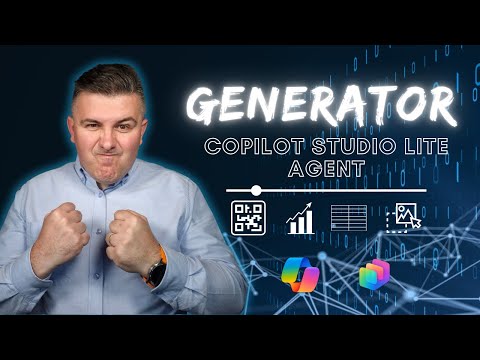
Microsoft Copilot Studio: Free AI for QR, Data & Images
Microsoft 365 atWork; Senior Digital Advisor at Predica Group
Microsoft Copilot Studio Lite tutorial building a Generator AI Agent creating QR codes synthetic data images and graphs
Key insights
- Generator — a new Microsoft AI agent that creates QR codes, synthetic datasets, images, and charts inside the Copilot ecosystem.
It runs in Copilot Studio, Windows, and Microsoft 365 so users can make assets without coding. - Core capabilities — QR codes (including dynamic, updateable codes), synthetic data for safe testing, image generation powered by MAI-Image-1, and automatic graph and chart creation from raw data.
Each capability produces ready-to-use outputs for documents, reports, and apps. - How it works — users type natural-language requests via a conversational interface and the agent runs the right models to deliver results.
The system supports a Prompt Builder and Power Fx to customize actions and logic for advanced scenarios. - Integration & orchestration — built on Azure AI Foundry and the Model Context Protocol (MCP), the Generator connects to enterprise sources like Dataverse and coordinates multi-step flows.
Example: generate synthetic data, draw a chart from it, and embed the chart in a document automatically. - Benefits — the tool emphasizes accessibility (no technical skills needed), flexibility (many asset types), and cost-effectiveness (free to use), making AI content creation easier for teams.
- Practical use cases — quick marketing QR codes, privacy-safe test datasets for developers, fast image creation for reports, and automated visual analytics for presentations.
Setup takes only a few minutes to start producing assets in common workflows.
Szymon Bochniak (365 atWork) published a concise YouTube video that walks viewers through building a versatile AI assistant called the Generator, which produces QR codes, synthetic data, images, and graphs. In the clip, he demonstrates how the agent runs inside Microsoft’s Copilot environment and explains setup steps that take roughly five to ten minutes. Consequently, the video serves as a practical introduction for business users and developers who want a no-code way to generate a variety of assets. Importantly, Bochniak highlights the tool’s accessibility while also showing real-world examples that clarify what the agent can do.
Overview of the Video
BochniaK begins with a short introduction and a timestamped demo that covers the core features in under ten minutes, making the content easy to scan for viewers pressed for time. He then shows the actual creation flow, starting with a QR code and moving through synthetic data generation, image editing, and graph production. The walkthrough emphasizes conversational commands through Copilot and how the agent chains tasks together. As a result, viewers see a unified workflow rather than separate tools for each asset type.
The video includes clear timestamps for each segment, which helps readers jump to the parts they need: the demo appears early, followed by step-by-step build guidance and an explanation of internal workings. Bochniak also notes the use of Microsoft’s developer and orchestration layers, which enables the agent to call different models and services as needed. Thus, the demo doubles as both a tutorial and a conceptual overview of how modern AI agents are assembled. Finally, the presentation style keeps technical jargon to a minimum and focuses on practical steps.
How the Generator Works
Behind the scenes, the Generator uses a conversational interface that interprets natural language requests and routes tasks to appropriate AI models and connectors. Bochniak references components such as Copilot Studio and the Prompt Builder, explaining that prompts can incorporate logic through Power Fx for more complex behaviors. He also mentions enterprise data integrations like Dataverse, which enable the agent to work with internal datasets when authorized. Therefore, orchestration and connectors matter as much as the generative models themselves for delivering useful outputs.
In demonstration, the agent can generate a QR code, create a synthetic dataset of customer-like records, render a chart from that data, and produce images using a Microsoft image model. Bochniak highlights MAI-Image-1 as the in-house image model powering photorealistic outputs, noting that it is independent of other third-party image generators. Consequently, organizations that prefer a Microsoft-centric stack may find the model choices attractive. At the same time, the setup shows how the agent coordinates multiple steps without manual switching between tools.
What the Video Demonstrates
The demo portion focuses on speed and practicality: Bochniak shows how a few quick prompts yield ready-to-use assets such as dynamic QR codes and charts. He demonstrates editing an image and generating a graph from synthetic rows, which illustrates how multiple outputs can be embedded into a single document. Because the video emphasizes hands-on use, viewers gain a clear sense of what they could accomplish in minutes. Moreover, the timestamps allow quick access to each demonstration segment for viewers who want to replicate the steps.
Importantly, the video suggests that non-technical users can accomplish many tasks with minimal setup, while more advanced users can extend behavior via prompt logic and connectors. Bochniak points out that Copilot Agents can be combined to automate multi-step workflows, such as creating data, visualizing it, and exporting results. Thus, automation and flexibility are central themes of the presentation. This blend of ease-of-use and extendability is what makes the approach compelling for a wide audience.
Tradeoffs and Challenges
While the Generator lowers barriers to entry, Bochniak’s walkthrough also implicitly reveals tradeoffs between speed and control. For example, quickly generated synthetic data may be useful for testing, yet it can still reflect unintended patterns or biases that require careful validation. Likewise, image generation gives fast visual results but raises questions about rights, quality standards, and the need for human review. Therefore, organizations must balance rapid prototyping against governance and compliance needs.
Another challenge is enterprise integration: connecting to secure data sources such as Dataverse brings strong benefits but demands correct configuration, access controls, and auditing. Bochniak notes that adding logic with Power Fx improves capabilities, yet it also increases the skill required to maintain complex agents. Consequently, teams must weigh the convenience of a unified agent against potential vendor lock-in and the overhead of implementing governance. In short, the tool is powerful but not a magic bullet; it requires disciplined adoption.
Implications for Users and Organizations
For smaller teams and individual professionals, the video shows that the Generator can accelerate routine tasks and reduce dependency on external design tools. For larger organizations, the promise lies in automating repeatable workflows while integrating enterprise data, though this requires investment in security and control processes. Bochniak’s presentation makes a good case that the tool can democratize access to generative AI, provided teams put guardrails around usage. Ultimately, the decision to adopt should consider both productivity gains and governance responsibilities.
In conclusion, Szymon Bochniak’s video offers a practical, easy-to-follow introduction to Microsoft’s multi-capability AI agent and illustrates how it can generate QR codes, synthetic datasets, images, and charts in a single flow. While it highlights clear benefits—speed, integration, and accessibility—it also points to necessary tradeoffs around quality control, governance, and integration complexity. Therefore, teams should pilot the Generator in controlled scenarios to evaluate real benefits and risks before scaling broadly. The video remains a useful resource for anyone exploring how to bring generative AI into everyday productivity workflows.

Keywords
free AI QR code generator, AI synthetic data generator, free image generator AI, AI graph generator online, QR code creator online, synthetic data for testing, AI agent for QR code generation, generate images and graphs with AI