- All of Microsoft
AI Builder vs Prompts: When to Use Each
Microsoft MVP | User Adoption, Dynamics 365 + Power Platform Expert at Reenhanced
AI Builder vs prompts: manage AI Builder credits, optimize Power Platform workflows with prompts and credit control
Key insights
- AI Builder vs Prompt builder: AI Builder delivers trained, no-code models for tasks like predictions and form processing.
Prompt builder creates instruction-based prompts that call large language models for quick text generation and extraction. - Key difference: AI Builder uses structured models trained on data for consistent results.
Prompts use natural-language instructions for flexible, fast responses without training. - Best use cases: Choose AI Builder for production scenarios that need accuracy and repeatability, such as document processing and business predictions.
Use prompts for creative content, ad-hoc data extraction, and quick prototypes where speed matters. - Integration and reuse: Prompts are reusable across Power Apps, Power Automate, Copilot Studio, and Dataverse and can be invoked from expressions like Power Fx.
AI Builder models plug directly into apps and flows for predictable automation. - Monitoring and costs: Track usage and performance for both approaches; AI Builder includes built-in monitoring for activity and outputs.
Prompts consume service credits, so monitor consumption and set limits if needed. - Practical guidance: Start with prompts to validate ideas quickly, then move to AI Builder when you need scale, stability, and higher accuracy for production workloads.
Test with varied inputs, add examples to prompts, and review outputs regularly.
Overview: A Practical Look at AI Builder and Prompts
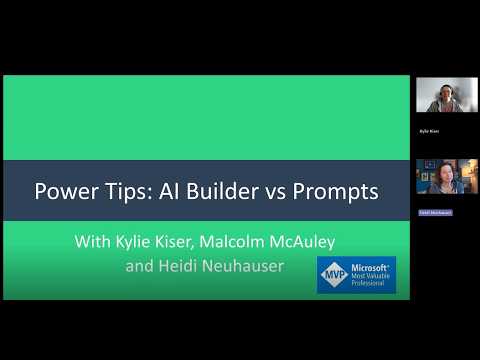
In a recent YouTube video, Heidi Neuhauser [MVP] contrasts two ways to add generative AI to Microsoft Power Platform solutions: AI Builder and prompts built with Prompt builder. As a reporter, I watched the presentation and distilled the main ideas to help makers and decision‑makers understand when each approach fits. The video frames the comparison around typical low‑code scenarios such as document processing, content generation, and data extraction.
Neuhauser emphasizes practical examples and platform limits, noting how each tool behaves in production and at scale. She references platform updates up to early 2026, including tighter integration with Copilot features and changes to credit management that affect cost and governance. Consequently, viewers get both hands‑on tips and strategic guidance rather than a theoretical debate.
What the Video Covers
The video first defines the two approaches: AI Builder is a no‑code framework for training and deploying structured AI models, while prompts are instruction‑based calls to large language models that can be reused across Power Apps, Power Automate, and Dataverse. Neuhauser demonstrates how prompts are created in Prompt builder and then invoked with simple Power Fx expressions to return JSON‑structured outputs for easy app use. In contrast, she shows how AI Builder models require training data and a more formal lifecycle for reliable predictions.
Then, the presenter walks through concrete workflows: form processing and invoice extraction with AI Builder, and free‑form text extraction and paraphrasing with prompts. She also points out platform features such as monitoring in the AI hub and the need to track consumption and activity. Finally, the video touches on governance and credit management, reminding makers that operational limits and costs influence design choices.
Strengths: When Each Tool Shines
Neuhauser argues that AI Builder excels when you need consistency, repeatability, and high accuracy for structured tasks like invoice parsing or predictable predictions. Because models are trained on labeled data, they provide stable outputs and built‑in monitoring, which simplifies long‑term maintenance for business processes. As a result, teams that require regulatory compliance or traceability often favor AI Builder despite longer setup time.
Conversely, prompts offer speed and flexibility and perform well for generative tasks, quick prototypes, and situations where training data is scarce. The video shows how creators can assemble prompts in minutes and test them against "weird inputs" to iterate quickly, which reduces time to value. Therefore, prompts are attractive for exploratory use cases, conversational text handling, and scenarios where human‑like language understanding is needed.
Tradeoffs and Key Challenges
Neuhauser makes clear that choosing between these approaches involves tradeoffs in cost, governance, and reliability. For example, prompts can be cheaper and faster initially, but they may produce variable outputs that require additional validation or post‑processing. On the other hand, AI Builder demands data preparation and model training effort, which raises upfront costs but often reduces runtime surprises.
She also highlights operational challenges such as prompt brittleness, model drift, and the need for monitoring consumption under credit management policies. Integrating prompts into production apps often requires careful JSON schema handling and fallback logic for unexpected outputs. Meanwhile, AI Builder workflows can struggle with edge cases if training sets do not fully represent real‑world input diversity, so both approaches need robust testing and oversight.
Practical Recommendations and Next Steps
Neuhauser recommends a pragmatic blend: use AI Builder for repeatable, high‑volume operations and adopt prompts for rapid experimentation or tasks that benefit from generative language capabilities. She advises teams to prototype with prompts to validate feasibility, then invest in AI Builder when stability and scale matter. This staged approach balances speed and reliability while controlling costs and governance exposure.
Finally, the video underscores governance practices including monitoring, versioning, and credit awareness, particularly given recent platform updates through early 2026. Neuhauser encourages makers to log consumption, test with diverse inputs, and choose the right tool based on expected variability and risk. Consequently, viewers come away with a clear roadmap for combining these technologies rather than treating them as mutually exclusive options.
Conclusion
Heidi Neuhauser’s YouTube presentation provides a concise, actionable comparison of AI Builder and prompts for Power Platform developers and business users. Through demonstrations and practical tips, she helps audiences weigh speed against consistency and flexibility against governance needs. Moreover, her guidance on monitoring and credit management makes the video useful for teams planning production deployments.
Overall, the takeaways encourage an iterative strategy: prototype fast with prompts, harden critical paths with AI Builder, and maintain operational controls to manage cost and reliability. Thus, organizations can adopt generative AI in Power Platform with clearer expectations and fewer surprises.
Keywords
AI Builder vs Prompts, Power Platform AI Builder tips, Prompt engineering for Power Platform, AI Builder best practices, Prompt design for Power Apps, Power Apps AI prompts tutorial, Comparing AI Builder and prompts, AI Builder vs GPT prompts