- All of Microsoft
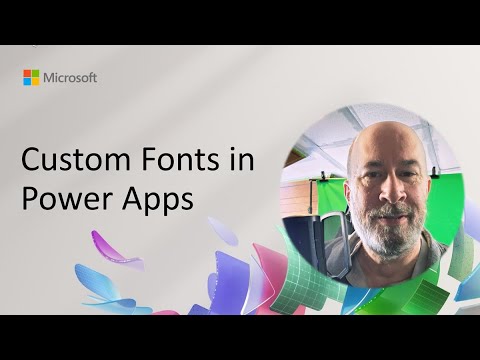
Power Apps Custom Fonts: Quick Setup
Software Development Redmond, Washington
Power Apps demo: reusable font-loader and PCF load custom fonts lean for Power Platform and Microsoft three sixty five
Key insights
- Video demo summary
This is a concise summary of a community-call demo by Robert (Bob) Lamaster showing how to load and use custom fonts in Power Apps. He demonstrates a reusable font-loader module and PCF controls that load fonts dynamically without bloating apps. - Platform limits and scope
Power Apps ships with a fixed set of system fonts and supports theme XML for model-driven vs canvas apps differently: model-driven apps can apply theme fonts, while canvas apps cannot rely on theme-level custom fonts. - Rich Text Editor constraint
The built-in Rich Text Editor strips head and style content, so embedding fonts via HTML/CSS in rich text no longer works. Expect HTML stripping to block font-injection tricks. - Practical methods to add fonts
Options demonstrated include using a font name string for locally installed fonts, embedding fonts as a Base64 web resource, loading Google Fonts via custom PCF components, or converting glyphs to SVG for specific visual elements. - Implementation tips and risks
Always provide fallback fonts, preload or lazy-load fonts to manage performance, verify licensing, and test across devices and offline scenarios to avoid unpredictable fallbacks. - Resources and next steps
Lamaster published a reusable font-loader and PCF controls on GitHub under the repo name "korebreach/custom-font-controls." Search that repo to try the module, test in a sandbox, and adapt the components to your app design needs.
Microsoft published a YouTube demo showing new techniques to bring custom fonts into Power Apps, and the presentation makes practical tradeoffs clear for makers. In the video, Robert (Bob) Lamaster demonstrates a reusable font-loader module and PCF controls that load fonts dynamically without bloating an app. Consequently, the walkthrough focuses on balancing visual fidelity, app size, and cross-device reliability for real-world solutions.
About the demo
First, the presenter frames the session as a hands-on, exploratory demo that goes beyond the platform’s default options for typography. He shows how a small set of reusable components can let designers and citizen developers adopt custom typefaces while keeping apps responsive. Moreover, the session takes place during a Microsoft 365 & Power Platform community call and highlights community-driven tooling rather than a platform-level feature release.
The demo is practical and example-driven, so viewers can follow the implementation path from concept to working prototype. For clarity, the presenter references a public repository containing the font-loader and example PCF components that replicate the shown behavior. As a result, makers can fork or adapt the controls to fit their governance and deployment models.
How the font-loader and PCF controls work
The approach uses JavaScript-based components to inject font resources at runtime so apps do not ship the full font files embedded in every screen. Specifically, the PCF controls can request a font resource, decode it if needed, and add it to the DOM so controls can reference the font name directly. This means fonts only load when needed, which reduces initial app payload and improves perceived performance.
In addition, the demo covers several technical methods such as referencing locally installed fonts, converting font files to Base64 web resources, and using SVG-based fallbacks for specific visual elements. Makers should note that the theme-based XML approach works well for model-driven apps, but is not a universal solution for canvas apps. Therefore, the choice between server-side packaging, dynamic loading, or graphical SVG assets depends on app type and distribution requirements.
Advantages for makers and designers
Adopting custom fonts delivers clear design benefits: improved brand consistency, a more distinctive look and often better readability when appropriately chosen. Consequently, organizations that prioritize user experience can present interfaces that match other branded touchpoints, which helps with adoption and trust. Furthermore, the modular design of the demonstrated solution supports reuse across multiple apps and teams, lowering long-term maintenance effort.
At the same time, dynamic loading reduces app bloat because font assets do not have to accompany every published version of a canvas app. As a result, makers can maintain snappier load times on first-run scenarios while still offering premium typography where it matters most. Nevertheless, careful caching and CDN strategies are recommended to make latency consistent across geographies.
Tradeoffs and challenges
However, there are important tradeoffs to consider. For instance, relying on fonts that are only locally installed creates fragile dependencies because devices without the font will fall back to defaults and change visual layout. Similarly, embedding fonts as Base64 increases payload size at the moment of load and may complicate caching unless you manage resources centrally.
Additionally, recent updates to the Rich Text Editor in Power Apps have reduced support for custom HTML and embedded CSS, which blocks some older embedding techniques. In practice, this means makers must choose between supported component approaches and clever workarounds such as converting typefaces to SVG assets for icons or headings. Therefore, teams need to weigh visual fidelity against maintainability, accessibility, and platform compatibility.
Practical guidance and next steps
In practice, start by auditing font licensing, accessibility implications, and which app types you must support, and then prototype using the demonstrated font-loader and PCF patterns. Also, test across representative devices and browsers to verify fallbacks and layout stability, because inconsistent typography can break responsive designs and accessibility tools. Moreover, document the solution and include caching and update plans so the approach scales across teams.
Finally, the community resources accompanying the demo provide a useful starting point, but teams should adapt those examples to their governance, security, and performance policies before production rollout. To conclude, the video emphasizes that while custom fonts are achievable in Power Apps today, successful adoption requires balancing aesthetics, performance, licensing, and maintainability. Consequently, makers who plan carefully can deliver richer, brand-aligned apps without unduly increasing complexity.

Keywords
custom fonts Power Apps, add custom fonts Power Apps, upload fonts to Power Apps, use custom fonts in Power Apps, embed custom fonts Power Apps, Power Apps custom typography, PowerApps font family, Power Apps Google Fonts