- All of Microsoft
Copilot Studio: Agent for Tasks & Risks
Lead Consultant at Quisitive
Build a Copilot Studio meeting agent to track action items and risks with Copilot Analytics and Microsoft SharePoint
Key insights
- Copilot Studio is Microsoft’s platform for building conversational agents that turn meeting notes and documents into usable outputs.
It helps teams automate follow-up and integrate AI into daily workflows. - The platform extracts action items and risks, summarizes outcomes, and converts unstructured text into fields like owner, due date, priority, and mitigation.
This makes meeting notes machine-readable and ready for tracking. - Agents connect to business systems using connectors and flows—common targets are Dataverse, SharePoint, Planner, Excel, Outlook, and Power Automate.
That lets the agent write structured items into your system of record automatically. - Agent lifecycle management covers building, publishing, monitoring, auditing, and improving agents in production.
Use activity history and outcome tracking to see real usage and refine behavior over time. - Governance and security are central: apply auditing, least-privilege access, and monitoring to prevent misconfigurations or data leaks.
Include threat detection and policies to control risky prompts or unsafe outbound actions. - Automation reduces manual tracking and improves consistency in status and risk reporting.
Best practices: test agents before launch, avoid embedding complex skills inline, use connectors and monitoring tools, and iterate based on real activity data.
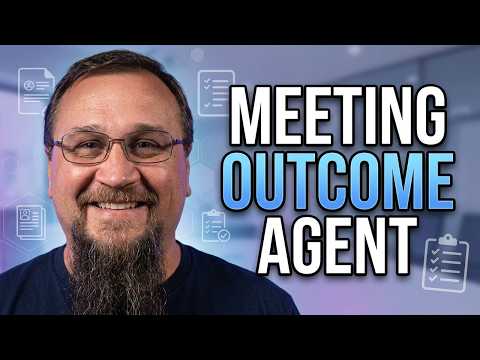
Microsoft-focused creator Steve Corey recently published a practical tutorial showing how to build a meeting-focused agent in Copilot Studio that extracts action items and tracks risks. In the video, he walks viewers through the full setup from creating the agent to publishing and testing it, while also flagging common pitfalls. Consequently, the walkthrough serves both makers who want quick wins and teams that need production-ready governance. Overall, the piece is a compact guide to turning meeting transcripts into structured, actionable records.
Overview of the tutorial
First, Steve lays out the scenario: a Meeting Outcome Agent that reads meeting notes and outputs owners, due dates, and risk details. Then, he demonstrates the step-by-step configuration in Copilot Studio, including where to place instructions and how to call external skills. He also includes timestamps that let viewers jump to core sections such as adding custom skills and testing the agent. As a result, the video balances a how-to approach with practical warnings about deployment choices.
Moreover, the author explains why this pattern matters for real teams: it reduces manual follow-up and provides standardized tracking across projects. He emphasizes that the agent is most useful when connected to an organization’s existing systems so output becomes part of an authoritative record. Therefore, viewers see not just a proof of concept but a path toward operational use. This framing helps organizations evaluate whether the pattern fits their needs.
How the agent is built
Next, the video shows how to create the agent and add core instructions that guide the AI’s extraction behavior. Steve explains how to shape prompts so that the model returns structured fields like owner, due date, priority, mitigation steps, and risk severity. He also demonstrates adding custom skills and explains why inline skills can cause maintenance problems. Consequently, the setup emphasizes clear separation between instruction, logic, and external actions.
In addition, the demo highlights integration options such as saving results to systems like Dataverse, Planner, or SharePoint, and invoking flows via Power Automate. These connection points let the agent write structured items into a system of record and trigger follow-up workflows. However, Steve notes that each connector brings its own permission model and complexity, which teams must plan for. Thus, the construction phase balances usability with the technical needs of enterprise systems.
Integration and data flow
Then, the tutorial explores data flow: from meeting transcript to the agent’s AI extraction and finally into a repository for tracking and reporting. Steve emphasizes connecting the agent to Microsoft 365 sources if the goal is to operate within existing email, calendar, and document contexts. He also explains how to schedule collection or summarize items at set intervals so teams receive consistent updates. As a result, the flow supports both ad-hoc summarization and recurring status reports.
At the same time, integration raises tradeoffs. For example, granting an agent broad access to mailboxes or documents speeds automation, but it increases the need for careful permissions and auditing. Conversely, a tightly restricted agent limits exposure but may miss context that improves accuracy. Therefore, organizations must weigh convenience against security and compliance when choosing connectors and scopes.
Governance, monitoring, and security
Importantly, Steve brings attention to lifecycle management and governance features that Microsoft now emphasizes for agents. He highlights monitoring tools that show action usage and activity history, which help teams see what the agent does in production. Additionally, he points out security controls like auditing, least-privilege access, and policies to catch risky prompts. Thus, governance becomes a central part of deploying agents beyond initial development.
Nevertheless, governance creates practical challenges. Continuous monitoring requires people and processes, not just tools, because false positives or misclassifications will appear over time. Also, misconfigured sharing or poorly scoped outbound actions can create exposure if teams do not follow least-privilege principles. Consequently, the video stresses that responsible deployment needs both technical controls and ongoing oversight.
Tradeoffs, challenges, and practical advice
Finally, Steve balances benefits with real-world constraints, explaining that automation reduces manual work but does not eliminate the need for human review. He warns that AI extraction may produce imperfect fields, so teams should plan validation steps and allow owners to confirm or correct entries. Moreover, he recommends testing the agent thoroughly and avoiding inline skill logic that complicates future updates. Therefore, maintenance and iterative tuning are unavoidable parts of the effort.
In conclusion, the video offers a clear path to building a meeting-focused agent in Copilot Studio that can improve consistency and visibility for action items and risks. However, teams must balance speed against governance, accuracy against automation, and short-term convenience against long-term maintainability. For organizations that plan for those tradeoffs and invest in monitoring, the pattern can deliver meaningful time savings and clearer follow-up. Ultimately, Steve Corey’s tutorial serves as a useful, practical starting point for teams ready to move from manual tracking to governed automation.
Keywords
Copilot Studio agent, build Copilot agent, action item tracking, risk tracking tool, Copilot Studio tutorial, Microsoft Copilot Studio, automate meeting follow-ups, AI task management