- All of Microsoft
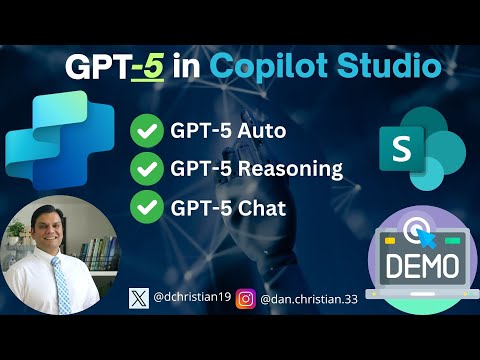
GPT-5 in Microsoft Copilot Studio
Lead Infrastructure Engineer / Vice President | Microsoft MCT & MVP | Speaker & Blogger
GPT-5, Microsoft Copilot Studio, agents, prompts, GPT-5 Auto, GPT-5 Reasoning, GPT-5 Chat
Key insights
- GPT-5 Integration: Microsoft Copilot Studio now includes GPT-5, offering two versions for agents and prompts, enhancing AI capabilities in Microsoft 365.
- Model Selection: Copilot uses GPT-5’s real-time router to choose the best model for each prompt, ensuring efficient responses for simple queries and deeper reasoning for complex ones.
- Efficiency and Depth: For straightforward questions, Copilot delivers quick answers using a high-throughput model. For intricate queries, it employs a reasoning model to provide comprehensive solutions.
- User Access: Licensed Microsoft 365 Copilot users can access GPT-5 today, with broader availability expected soon. A “Try GPT-5” button allows easy activation during sessions.
- Custom Agents in Copilot Studio: GPT-5 is available in Copilot Studio for building custom agents that handle complex business processes using tailored prompts.
- Business Applications: Users can leverage GPT-5 to streamline tasks like summarizing RFP responses or evaluating proposals by providing context-aware insights from work data.
Overview of the Video and Announcement
In a new explainer video, Daniel Christian [MVP] walks viewers through the arrival of GPT-5 inside Microsoft Copilot Studio. He outlines how creators can pick between two model options for agents and how prompts can run with the latest model. According to the material highlighted in the video, Microsoft is positioning this release as a same‑day addition to Microsoft 365 Copilot, emphasizing security, compliance, and privacy.
Moreover, the video organizes the story by first announcing availability and then demonstrating capabilities. It sets expectations for both routine and complex tasks, showing where speed matters and where deeper reasoning adds value. As a result, the update targets a wide range of business scenarios, from quick summaries to multi-step decision support.
Two Agentic Options in Copilot Studio
Christian explains that builders can now select GPT-5 as an agent’s primary model in Copilot Studio. He notes two “agentic” choices that align with how teams work: a faster path for common requests and a more thoughtful path for complex work. The platform uses a real-time router to interpret the prompt and match it with the right capability.
This design mirrors how people choose tools: use the simple path for simple tasks and reach for deeper analysis when the question demands it. However, there is a tradeoff. More automation reduces manual control for expert users, while more control can slow teams that need quick answers. Therefore, organizations should decide where they want authors to steer model choice versus letting the router decide.
GPT-5 Auto vs. GPT-5 Reasoning
The video contrasts the two approaches as GPT-5 Auto and GPT-5 Reasoning. For straightforward prompts, the system prioritizes speed and uses a high‑throughput model to craft succinct replies. For open-ended or complex prompts, it switches to a deeper reasoning model that plans, gathers context, and checks its work before answering.
Furthermore, the example of evaluating RFP responses illustrates the benefit: quick summaries first, then thoughtful ranking when asked. Yet deeper reasoning typically comes with higher latency and more compute use. Consequently, teams must balance fast turnarounds against thorough analysis, especially when users expect near‑instant responses.
Prompting with GPT-5 Chat
Later, Christian shows how to prompt with GPT-5 Chat to test and refine behavior. He underscores that clear, scoped prompts lead to more consistent outcomes, while vague instructions can produce uneven results. In practice, maintaining prompt libraries and examples helps authors reproduce quality and reduce drift over time.
However, richer prompts can grow complex and harder to maintain across projects. To address this, teams might standardize templates and include evaluation steps in their build pipeline. Ultimately, the goal is to keep prompts simple enough for reliability while still enabling the depth that advanced reasoning can deliver.
Availability, Access, and Governance
According to the video’s referenced details, licensed Microsoft 365 Copilot users can try GPT-5 immediately, including a “Try GPT-5” session option in Copilot Chat. Rollout to users without a license begins now and will expand in the coming weeks. Additionally, Copilot can reason over both web and work data to provide contextual responses from calendars, emails, chats, documents, and meetings.
That said, governance remains essential. Broader context access raises familiar questions about data scope, auditing, and least‑privilege design. Meanwhile, auto‑routing boosts productivity but can make debugging harder when outcomes vary by prompt complexity. By setting clear data boundaries and tracking model choices, admins can balance speed, depth, and oversight.
Why This Matters for Workflows
Christian’s walkthrough underscores a “two‑brain” approach: fast fluency for everyday tasks, deeper reasoning for nuanced work. This combination can streamline content drafting, research, and evaluations without forcing users to switch tools. Yet success depends on owning the tradeoffs—latency versus depth, automation versus control, and access versus governance.
As organizations adopt GPT-5 in Copilot Studio, the most effective teams will pilot carefully, document prompts, and measure outcomes. With that discipline, they can turn the new options—GPT-5 Auto, GPT-5 Reasoning, and GPT-5 Chat—into dependable building blocks for real business processes. In short, the video frames a practical path to use advanced AI where it counts while keeping work simple where it should be.

Keywords
GPT-5 Microsoft Copilot Studio, GPT-5 Copilot integration, Copilot Studio GPT-5 features, GPT-5 release date Microsoft, Build apps with Copilot Studio GPT-5, Microsoft Copilot Studio tutorial, GPT-5 enterprise AI tools, GPT-5 developer guide Copilot