- All of Microsoft
- Power Platform
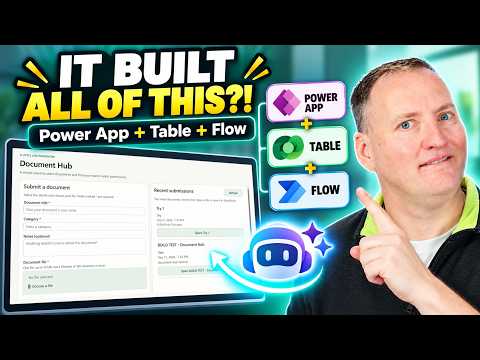
Power Apps: One Prompt Built App + Flow
SharePoint & PowerApps MVP - SharePoint, O365, Flow, Power Apps consulting & Training
Microsoft expert shows GitHub Copilot building Power Apps with Dataverse Power Automate and SharePoint integration
Key insights
- GitHub Copilot
Video shows using one prompt with GitHub Copilot plus three Power Platform plugins to build a full document-submission solution end to end.
The demo ties app, data table, and automation together automatically so you can generate a working prototype fast. - Dataverse
The process creates a Dataverse table to hold app data and uses that table as the shared data layer for the app and flows.
Dataverse becomes the single source for rows, security, and solution-aware components. - Solutions
Canvas apps and cloud flows are built directly inside a solution by default, removing manual steps and making deployment easier.
That keeps apps, tables, flows, environment variables, and connection references together for smoother lifecycle management. - Cloud flow
The demo builds Power Automate cloud flows that trigger on Dataverse events or run from a canvas app button to move or process data.
Flow run history can now be stored and managed in Dataverse for better tracking and scale. - ALM
This Dataverse-first approach speeds delivery and improves application lifecycle management (ALM) by using solution-aware tools and role-based security.
Microsoft also added admin tools (cmdlets) to move and manage multiple flows into solutions more easily. - SharePoint
The final solution includes file uploads to SharePoint and shows how the canvas app, Dataverse table, and cloud flow connect end to end.
The presenter notes Copilot handles most work quickly but you should step in for error fixes, security choices, and final testing; overall build time was short and cloud cost was modest in the demo.
Quick summary of the demo
In a recent video, Shane Young [MVP] demonstrates how a single prompt can instruct AI to build a complete Power Platform solution. Specifically, he combines GitHub Copilot with the Power Apps, Dataverse, and Power Automate plugins to create a document submission system that uploads files to SharePoint. Rather than working on each component separately, Shane shows how the three plugins cooperate to produce a Dataverse table, a cloud flow, and a canvas app from one request. Consequently, the demo highlights a new, more integrated approach to building solutions on the Power Platform.
What Shane built and how the pieces fit
To begin, Shane asked the combined plugins to create a Dataverse table to store submission data, then to generate a cloud flow that moves uploaded files into SharePoint. Next, the same prompt produced a Canvas app that reads and writes the Dataverse table and triggers the flow from a button. Throughout the walkthrough, he connects the app, table, and flow to show a working end-to-end solution. As a result, viewers see how the three elements interact in a real scenario rather than in isolated examples.
Why Shane limited browser access and how Copilot performed
Importantly, Shane chose not to let Copilot use the browser during the demo, explaining that this reduces variability and improves reproducibility. Therefore, the plugins operate against APIs and the GitHub Copilot interface instead of live UI interactions, which helps keep results predictable. Nevertheless, he demonstrates both successes and edge cases, showing where AI-generated work needs human oversight. In short, Copilot can assemble working components, but the author stresses that human review remains essential.
When to let AI do the work and when to step in
Shane offers practical guidance about tradeoffs: using AI saves time on boilerplate and repetitive setup, but it can obscure design intent and create fragile configurations if unchecked. For routine tables, basic flows, and standard app screens, letting Copilot scaffold the work can cut development time significantly. However, for security-sensitive logic, complex business rules, or long-term maintainability, he recommends manual refinement and testing. Thus, the best approach blends AI speed with human judgment to balance productivity and control.
Testing, failures, and recovery
The video does not skip testing: Shane runs the full solution, checks the AI-built cloud flow, and intentionally triggers failure scenarios to see how the system reacts. When something goes wrong, he uses Copilot again to diagnose and recover the app, showing how the tool can assist with troubleshooting as well as creation. Still, the demo clarifies that automatic fixes are not guaranteed and may require iterative prompts or hands-on adjustments. Consequently, teams should budget time for debugging AI-produced artifacts.
Costs, timing, and operational tradeoffs
Shane wraps up by describing how long the end-to-end build took and what it cost in terms of time and resources, offering a practical lens for adoption decisions. He explains that initial scaffolding is fast, yet follow-up work to polish security, naming conventions, and environment variables takes extra effort. Moreover, organizations must weigh licensing for Dataverse and cloud flows, governance for AI usage, and the operational overhead of monitoring run history stored in Dataverse. Ultimately, the tradeoff is clear: faster prototyping versus the need for careful operational governance.
Implications for Power Platform development
The demo signals a broader shift toward a Dataverse-first approach where tables, flows, and apps are created within solutions and managed together. Consequently, this trend can improve application lifecycle management and make automation run history more accessible for troubleshooting and compliance. At the same time, it raises challenges around permissions, environment setup, and the interpretability of AI-generated logic. Therefore, teams should update standards and governance policies if they plan to rely on AI-assisted development.
Final takeaways
Shane Young’s demonstration makes a compelling case that one prompt can bootstrap a viable Power Platform solution, and it shows how combining plugins speeds up initial delivery. However, the video also honestly presents the limits: debugging, security, and maintainability still require human experts. For practical adoption, organizations should use Copilot to accelerate repeatable tasks while preserving human control over architecture and compliance. In this way, AI becomes a powerful teammate rather than a full substitute for experienced makers.

Keywords
Build Power App from prompt, Power Apps prompt automation, Dataverse table creation from prompt, Generate Power Automate cloud flow, AI-generated Power App, One prompt Power Platform, Create Dataverse schema automatically, Auto-generate cloud flow Power Automate