- All of Microsoft
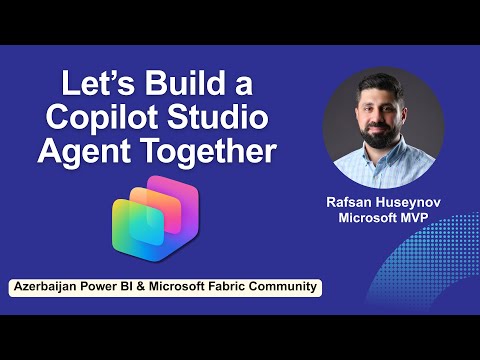
Copilot Studio: Build First AI Agent
IT Program Manager @ Caterpillar Inc. | Power Platform Solution Architect | Microsoft Copilot | Project Manager for Power Platform CoE | PMI Citizen Developer Business Architect | Adjunct Professor
Build AI agents with Copilot Studio to connect data, automate workflows and drive insights for Power BI and Fabric
Key insights
- Microsoft Copilot Studio: a no-code/low-code platform for building AI assistants that answer questions and automate tasks.
It integrates with the Microsoft 365 Copilot ecosystem to work with Teams, SharePoint, and other apps. - Multi-Agent Orchestration, Agent Store, and Generative Answers: 2025 updates let agents hand off work, share and reuse agents across organizations, and give more accurate, context-aware responses.
These features enable complex workflows and faster adoption. - Azure AI Foundry and custom models: you can connect Copilot Studio to advanced Azure models for specialized tasks and train models to match your data and goals.
This extends capabilities beyond built-in generative skills. - Immersive Chat, Autonomous Triggers, and multi-turn conversations: agents keep context across interactions, act automatically on events, and deliver a more natural, engaging experience.
Use triggers to automate routine tasks in real time. - Create agent, knowledge sources, and connect data: build an agent by opening Copilot Studio, defining its purpose, setting tone and rules, uploading documents or linking data, and connecting to websites or enterprise sources.
Start simple and expand knowledge sources as you test. - Publish, governance, and monitoring: publish agents to business users, manage permissions and compliance, and track performance metrics to refine behavior.
Follow governance and monitoring best practices to scale safely.
Overview of the YouTube session
In a recent YouTube presentation, Rafsan Huseynov demonstrated how to build an AI-powered assistant using Microsoft Copilot Studio. He spoke to the Azerbaijan Power BI & Microsoft Fabric Community and showed a practical, no-code path to creating conversational agents. The video walks viewers through the platform’s interface, core concepts, and an end-to-end example, making the topic accessible to both analysts and developers. Consequently, the session framed Copilot Studio as a bridge between business needs and AI capabilities.
Key features highlighted
Huseynov emphasized multiple 2025 updates that matter for teams adopting AI agents, including multi-agent orchestration and an Agent Store for sharing solutions. He also demonstrated enhanced generative reasoning and integration options such as Azure AI Foundry, which allow agents to use custom models when needed. Furthermore, the presenter pointed out the improved multi-turn conversation handling and proactive triggers that let agents act on events without user prompts. These refinements aim to reduce friction for business users while expanding what agents can do in real time.
However, Huseynov also noted tradeoffs inherent in richer capabilities: more powerful models and integrations increase complexity, governance needs, and cost. In addition, publishing agents to many channels can boost reach but raises concerns about consistent behavior and data leakage. Therefore, teams must weigh ease of deployment against the overhead of monitoring, compliance, and maintenance. By highlighting these balances, the video helped viewers set realistic expectations for production use.
Building your first AI agent: a practical walkthrough
The video offers a clear step-by-step path for a beginner to get started in Copilot Studio. First, Huseynov advises defining the agent’s purpose and tone before adding knowledge sources like documents or websites to ground responses. Next, he shows how to customize the agent visually and establish simple rules for handling different user intents, which keeps initial scope manageable and predictable. As a result, viewers can create a focused agent without being overwhelmed by advanced features at the start.
Then, the presenter covers publishing and connecting the agent to business users so it can answer questions and help automate tasks. He demonstrated linking to files, embedding knowledge, and configuring triggers that let the agent initiate actions when certain conditions occur. Importantly, the walkthrough stressed iterative improvement: start small, collect interactions, and refine the agent’s knowledge and behavior. This practical sequence reduces risk and lets teams measure impact before scaling up.
Tradeoffs and challenges in adoption
Scaling from a simple agent to enterprise-grade copilots introduces several challenges that Huseynov addressed candidly. For example, integrating custom models via Azure AI Foundry can improve domain accuracy but requires model governance, testing, and cost management. Moreover, using an Agent Store to share agents speeds reuse, yet it also demands access controls and versioning to avoid inconsistent behavior across departments. Thus, organizations must design governance and observability from the beginning to manage risk.
Another tradeoff involves automation versus user trust: agents that act autonomously can save time, but they also need clear boundaries and fail-safes to prevent harmful actions. Huseynov suggested configuring conservative triggers and logging decisions so administrators can audit behavior. Additionally, performance tuning often requires balancing latency against response quality, meaning teams might accept slightly slower replies for more accurate outcomes. These considerations underscore that technical success depends on both design choices and operational discipline.
Practical takeaways and next steps
Overall, the video by Rafsan Huseynov serves as a concise guide for anyone who wants to create a first AI assistant with Microsoft Copilot Studio. It recommends starting with a clearly defined business use case, adding tight knowledge sources, and iterating based on real user interactions. In addition, he encourages teams to plan governance, observability, and cost control early to avoid common pitfalls when scaling. These steps help teams deliver value quickly while keeping long-term overhead in check.
Finally, the session makes a compelling case that modern copilots can broaden access to automation and data-driven decisions across teams. Yet, it also reminds viewers that success requires a mix of technical setup, thoughtful governance, and user-centered design. For readers interested in experimenting, the clear, visual approach shown in the video lowers barriers to entry and supports measured experimentation. Consequently, organizations can adopt a staged approach: prototype, evaluate, and then expand agents where they deliver measurable benefit.

Keywords
Microsoft Copilot Studio tutorial, build AI agent with Copilot, create AI agent Microsoft Copilot, Copilot Studio beginner guide, AI agent development tutorial, Copilot Studio walkthrough, deploy AI agent Copilot, first AI agent Copilot Studio