- All of Microsoft
Copilot Studio: Build AI for Newsletters
Software Development Redmond, Washington
Microsoft expert demystifies Copilot Studio CUA versus desktop flows and Power Platform agent integration with Copilot
Key insights
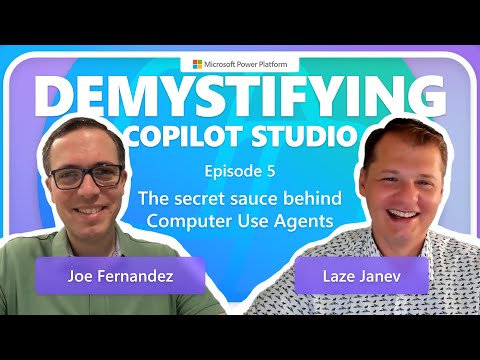
- Demystifying Copilot Studio — Quick episode summary: host Charles Drayton interviews Joe Fernandez and Laze Janev about Copilot Studio (episode released Sept 24, 2025).
They compare Copilot Studio to desktop flows and show practical uses for builders and business users. - Enhanced visual reasoning — Copilot agents "see" screen content and adapt when user interfaces change.
This makes them more robust than traditional RPA that relies on fixed UI elements. - Multi-agent collaboration — Designers can create multiple specialized agents that share tasks and context.
Using smaller agents for defined roles improves accuracy and simplifies complex workflows. - Power Platform automation — Copilot agents integrate with the Power Platform to automate common tasks like sending emails, updating records, and syncing team communication.
Administrators can configure these actions to match business processes. - Custom GPTs and customization — Builders can create tailored GPT-based copilots that connect to Microsoft 365 and other data sources.
Custom models let organizations personalize automation, prompts, and responses for their workflows. - Practical impact & community — The episode highlights faster productivity, better resilience to UI changes, and easier agent creation.
Viewers are encouraged to explore official Microsoft resources and join the Agent Creators Community to share patterns and best practices.
Episode overview
Microsoft released "Demystifying Copilot Studio | SE04 EP05" on September 24, 2025, presenting a focused discussion about the evolution of its AI tooling. Furthermore, the episode features host Charles Drayton with guests Joe Fernandez and Laze Janev, who walk viewers through recent capabilities and practical scenarios. As a result, the video aims to clarify how Copilot agents behave differently from older automation approaches while showing demos and use cases.
Moreover, the episode situates Copilot Studio within the larger Power Platform ecosystem, and it highlights the practical benefits of combining multiple agents for complex tasks. In addition, Microsoft signals ongoing community engagement by pointing viewers toward the Agent Creators Community and future episodes that continue the series. Consequently, the video is both an educational resource and a prompt for organizations to evaluate how these agents might fit into their automation strategies.
What Copilot Studio is and why it matters
Copilot Studio is Microsoft's environment for building and customizing AI-powered assistants, or Copilot agents, that work across Microsoft 365 and other enterprise tools. In particular, the platform supports configuring agents to handle specific roles and tasks, which lets teams break down complex workflows into more manageable components. Therefore, Copilot Studio represents a shift from one-size-fits-all automation toward modular, role-based assistance.
In addition, Copilot Studio integrates with the Power Platform, enabling low-code and pro-code contributors to collaborate on agent design. This integration matters because it lowers the barrier to deploying AI capabilities across business units while preserving extensibility for developers. Consequently, organizations gain flexibility to combine visual workflows, data connectors, and specialized agents within a single environment.
Key features highlighted in the episode
The episode emphasizes several technical advances, most notably enhanced visual reasoning that lets agents understand screen content even when UIs change. As a result, these agents can handle tasks that used to require fragile RPA scripts tied to fixed UI elements, and they can adapt when layouts shift. Furthermore, the hosts show how multi-agent collaboration distributes responsibilities across small, focused agents to improve accuracy and maintainability.
Additionally, Copilot Studio supports action execution like sending emails, updating timelines, and synchronizing team communications, which streamlines end-to-end processes. Moreover, the platform allows the creation of custom GPTs that connect to Microsoft 365 data and business workflows for tailored intelligence. Thus, the combination of visual reasoning, modular agents, and custom models broadens the kinds of automation and assistance organizations can deploy.
Tradeoffs and practical challenges
Despite these advances, several tradeoffs arise when moving from traditional RPA to agent-driven automation. For example, while visual reasoning improves resilience to UI changes, it can add complexity to testing and validation because agents must interpret visual context reliably across scenarios. Consequently, teams must invest more in quality assurance and monitoring to ensure agents behave predictably in live environments.
Moreover, multi-agent designs introduce orchestration challenges and governance considerations, since many small agents working together require clear contracts, permissions, and error-handling strategies. At the same time, organizations must balance agility with control: faster development can increase exposure to data and permission risks if governance practices lag. Therefore, leaders should weigh productivity gains against the operational overhead needed to maintain secure, compliant deployments.
Adoption, community, and next steps
Finally, Microsoft encourages practitioners to join the broader Agent Creators Community for shared templates, tips, and troubleshooting, which helps accelerate adoption and knowledge sharing. Meanwhile, the video series itself signals ongoing updates and peer learning opportunities that can guide early adopters through deployment questions and best practices. As a result, the community function becomes a practical complement to the technical tools provided by Copilot Studio.
Looking ahead, organizations will need to align people, processes, and platforms to realize the full value of Copilot agents while managing costs and complexity. In particular, teams should pilot targeted workloads, measure outcomes, and refine governance as usage grows. Ultimately, Episode 5 clarifies both the promise and the practical work required to move toward intelligent, resilient automation across the Microsoft ecosystem.

Keywords
Copilot Studio tutorial, Microsoft Copilot Studio, Copilot Studio demo, Copilot Studio features, Copilot Studio walkthrough, Copilot Studio setup guide, Copilot Studio tips and tricks, Copilot Studio for developers