- All of Microsoft
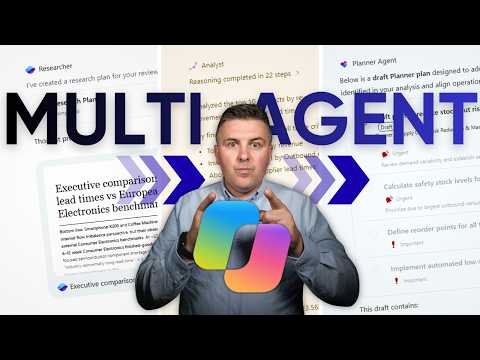
Copilot: Multi-Agent Project Planning
Microsoft 365 atWork; Senior Digital Advisor at Predica Group
Microsoft expert shows Copilot agents turning research into Planner plans and PowerPoint in Microsoft three sixty five
Key insights
- Multi-agent pattern in Copilot Studio splits complex work into smaller tasks so a parent orchestrator coordinates and specialist agents handle focused parts of a project plan.
It improves clarity by keeping each agent responsible for one kind of work. - Agent roles: use a Researcher to gather facts, an Analyst to structure findings, a Planner Agent to create tasks and timelines, and a PowerPoint Agent to prepare the presentation.
Each role focuses on a clear deliverable to speed up the workflow. - Orchestration best practice: let the parent agent be the only one that talks to the user while subagents run research and work behind the scenes.
This keeps responses consistent and simplifies governance. - Platform integration: connect agents across Microsoft 365, Microsoft Fabric, and external systems using A2A (agent-to-agent) calls so agents can share data and enterprise context.
This brings analytics and documents into planning without leaving your environment. - Key benefits include Specialization for focused skills, Scalability to add agents as needs grow, stronger Governance via access controls, and Reusability of agent components across projects.
These advantages reduce work time and raise output quality. - Practical tips: pass clear context from research → analysis → planning, use precise prompts, and map outputs into Planner tasks with milestones, dependencies, and owners.
Test small, validate results, and reuse specialist agents for repeatable planning steps.
Quick overview
The latest YouTube video from Szymon Bochniak (365 atWork) demonstrates how to use a multi-agent approach in Copilot to build a ready-to-execute project plan inside Microsoft 365. In the hands-on demo, Bochniak shows how to chain specialist agents for research, analysis, planning, and presentation so teams can move from deep research straight to a Planner-based project plan. Consequently, the video frames Copilot not as a single assistant but as an orchestrated productivity engine where each agent plays a defined role. This perspective aims to help IT consultants, project managers, and Copilot champions save time and improve deliverables.
The demo walkthrough
Bochnak walks viewers through a concrete workflow that starts with a research agent and ends with a presentation-ready deck, and he pauses to explain each handoff. First, a Researcher agent gathers and synthesizes sourced material, then an Analyst agent structures the findings and validates patterns. Next, a reasoning model called Opus handles higher-level strategy, while a Planner Agent converts insights into tasks, buckets, and timelines inside Planner. Finally, a PowerPoint Agent packages the outcome into a clean deck that teams can present or share.
How the multi-agent flow works
Throughout the video, Bochniak emphasizes passing context smoothly from one agent to the next so the system retains focus and avoids repetition. For example, the parent or orchestrator agent collects the project goal, delegates subtasks, and then merges the subagents’ outputs into a single response, which keeps the user experience simple. He also highlights how Copilot Studio patterns let a parent agent call child agents or connect to existing agents across Microsoft 365 and enterprise systems. As a result, teams can scale solutions by reusing specialist agents and tapping enterprise data sources when needed.
Tradeoffs and practical challenges
While specialization brings clear benefits, Bochniak and the demo show important tradeoffs that organizations must consider, including coordination overhead and governance complexity. For instance, using many specialist agents can boost accuracy and speed, yet it also demands careful orchestration so outputs remain consistent and coherent. Furthermore, integrating data from enterprise sources like Fabric raises questions about access control, permissions, and data privacy that teams must solve before deployment. Therefore, human oversight, clear access policies, and staged testing remain essential to avoid unreliable or risky outputs.
Governance, reliability, and best practices
Bochniak outlines best practices that help balance automation with control: keep the parent agent as the single user-facing responder, give subagents narrow, well-scoped tasks, and design prompts that frame expectations. He also suggests validating results at each handoff to reduce hallucinations and to ensure the final plan aligns with business needs and constraints. Moreover, the video shows how different agents can use different permissions so teams preserve governance while allowing agents to access the data they need. Ultimately, these steps lower risk and make the system more auditable and repeatable.
What teams should take away
In summary, Bochniak’s demo offers a practical path to turn research into execution inside Microsoft 365 by combining agent specialization with orchestration patterns. Teams should weigh the benefits of faster, more modular planning against the overhead of agent coordination and the demands of secure data access. With careful design, common-sense governance, and incremental rollout, organizations can use a multi-agent Copilot approach to speed project delivery without losing control. Therefore, the video serves as a useful roadmap for anyone interested in applying AI agents to real-world project planning tasks.

Keywords
Copilot multi-agent project planning, multi-agent Copilot workflow, AI Copilot project plan template, automated project planning with Copilot, multi-agent project management AI, Microsoft Copilot for project plans, Copilot agents project planning guide, generate project plan using Copilot agents