- All of Microsoft
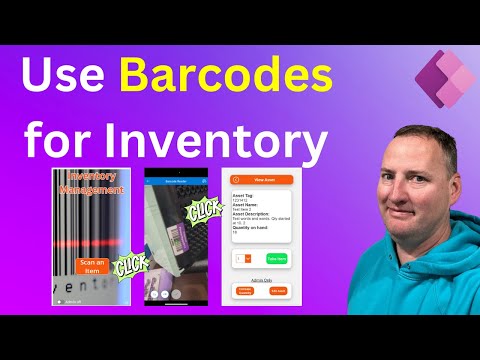
Enhance Inventory with Power Apps Barcode Scanner
SharePoint & PowerApps MVP - SharePoint, O365, Flow, Power Apps consulting & Training
Streamline inventory with Power Apps: Learn barcode scanning, item management, and customization tips in our detailed guide.
Key insights
- Power Apps Barcode Scanner provides an efficient tool for inventory management and asset tracking through barcode scanning.
- Dynamic inventory updates and ease of adding new items simplify the process significantly.
- Offers multiple scanning modes on iOS and Android such as Automatically Scan and Scan Multiple.
- Barcode reader control supports a variety of barcode types including QR_CODE and CODE_128.
- Focus on device compatibility as the scanner works on Android, iOS, and Windows but not on web browsers.
The main topic focuses on enhancing inventory and asset management using the Power Apps Barcode Scanner. This tool is developed to streamline the organizational process for businesses, making it easier to track, update, and manage inventory effectively. It integrates seamlessly with mobile platforms like iOS and Android, offering users dynamic dropdown menus for improved usability.
Boost Inventory Tracking with Power Apps Barcode Scanner Introduction
In a recent YouTube video, Shane Young, an MVP expert, introduces an innovative inventory management app powered by Microsoft Power Apps. An essential feature of this app is its built-in barcode scanner, designed specifically for enhanced inventory and asset tracking. This application is a game-changer for businesses managing either larger or smaller inventories, offering simplicity and efficiency in updating and organizing assets. Shane’s video walks viewers through the functionality and potential of this app, presenting it as an indispensable tool for effective inventory management.
Dynamic Interface and Admin Features
The inventory management app showcases an intuitive interface tailored to streamline inventory updates. Key features include dynamic dropdown menus that simplify user navigation. Furthermore, the app toggles between standard and admin modes, the latter offering advanced inventory management capabilities. This dual-mode system caters to both everyday users and administrative personnel, thus enhancing the app’s applicability across different levels of an organization.
Seamless Integration and Customization
Power Apps equips the app with integration capabilities, allowing smooth inclusion of AI tools that enhance both design and functionality. Such adaptability ensures the app meets diverse business needs. Further customization is possible through various tips shared by Shane Young, focusing on usability improvements to suit particular organizational requirements.
Comprehensive Tracking and Logging
A vital aspect of this Power Apps-based solution is its comprehensive logging feature, designed to meticulously track all inventory interactions. This detailed logging system records each update or modification, providing clarity and accountability. Such documentation aids in maintaining an accurate inventory, a crucial factor for effective inventory management.
.jpeg?w=700&output=webp)
Keywords
Power Apps inventory barcode scanner tracking optimize streamline integration technology business