- All of Microsoft
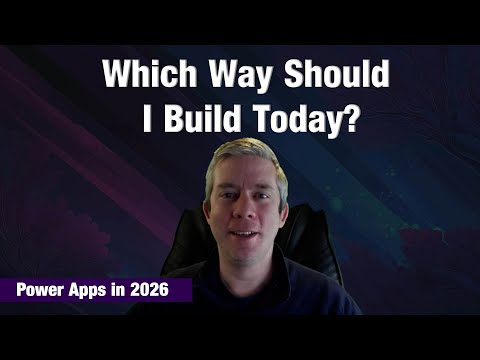
Power Apps: 6 Ways to Build in 2026
Currently I am sharing my knowledge with the Power Platform, with PowerApps and Power Automate. With over 8 years of experience, I have been learning SharePoint and SharePoint Online
Power Apps expert guide to starting with canvas, model-driven Dataverse, Power Pages, Teams and Copilot for governance
Key insights
- Blank canvas app — Use when you need full control of layout and user experience.
Build with drag-and-drop components and connect to SharePoint, Excel, Dataverse, or APIs for custom UIs and workflows. - Model-driven app — Choose when data relationships, complex business processes, and governance matter most.
Model-driven apps use Dataverse to enforce rules, security, and scale for record-centric solutions. - Power Pages app — Best for external-facing websites that let customers or partners interact with business data.
Power Pages connects to Dataverse, supports authentication, and requires planning for security and compliance. - Teams-scoped app — Build and run apps inside Microsoft Teams for fast adoption and collaborative workflows.
These apps work well for team-focused tasks but evaluate governance if they must access enterprise-wide data. - Copilot-generated app — Create apps by describing requirements in natural language for rapid prototyping.
Copilot can generate apps and data models quickly, but validate the design, refine data models, and apply governance before production. - Plan designer — Use a solution-first, copilot-driven approach to generate apps, tables, automations, and sites together.
This method aligns stakeholders early, improves architecture choices, and reduces rework when scaling and governing solutions.
Video Overview
In a recent YouTube video, Andrew Hess of MySPQuestions outlines six practical ways to start a Power App in 2026. He explains when to choose each approach and points out common mistakes people make when they pick the wrong starting point. Consequently, the video frames the choice of a starting method as an architectural decision that affects scale, governance, and adoption. This news-style summary highlights the key ideas and explores the tradeoffs and challenges Hess raises.
The Six Approaches Explained
Hess organizes his guidance into six distinct methods: a blank canvas app, model-driven app, Power Pages, Teams-scoped app, Copilot-generated app, and the Plan designer. He emphasizes that each approach maps to different project goals, skills, and governance needs, so teams should consider all options before committing. For example, a blank canvas gives full UI control, while a model-driven app focuses on data and consistency. Moreover, Hess stresses that the choice determines long-term maintainability and user adoption.
Low-Code and AI-Driven Options
Copilot and Plans represent the most AI-forward ways to get started quickly, and Hess notes their appeal for rapid prototyping. With Copilot, users can describe requirements in natural language and generate an app and its data model almost instantly, while Plans produces end-to-end solutions including data tables, apps, automations, and sites. However, he warns that rapid AI generation can produce imperfect designs or require follow-up tuning, so teams should validate the output against business rules. Therefore, while these tools accelerate initial delivery, they also demand careful review to avoid architectural debt.
Traditional Low-Code and Prototyping
Canvas apps remain a flexible choice when designers need pixel-level control or must integrate varied data sources like SharePoint, Excel, or Dataverse. Hess points out that starting with a blank canvas works well for custom experiences, but it can lead to inconsistent patterns if teams do not govern UI standards. On the other hand, model-driven apps enforce a data-first architecture that simplifies governance and scales well for complex processes, yet they can feel rigid for bespoke interfaces. Thus, teams face a tradeoff between design freedom and consistency, and they should balance those priorities with governance policies.
Teams and Power Pages: Context Matters
For internal collaborative workflows, Hess highlights building apps directly inside Microsoft Teams, which reduces friction and boosts adoption since users work in familiar tools. Conversely, when apps need to be customer- or partner-facing, Power Pages serves as the external-facing option, but it brings added considerations such as security, authentication, and hosting costs. He recommends evaluating user contexts early because embedding in Teams often simplifies lifecycle management, while public sites require stricter controls and monitoring. Accordingly, the right choice depends on user scope and compliance needs.
Code-First and Hybrid Paths
Developers who need maximum control can use the code-first approach to build apps with frameworks like React or Vue and deploy via the Power Platform toolchain. Hess notes that while this path unlocks deep customization and testability, it also requires more tooling, developer skills, and governance around deployment and version control. Similarly, hybrid approaches such as adding custom canvas pages to model-driven apps try to combine the best of both worlds, but they create operational complexity for testing and updates. Therefore, organizations must weigh development speed against long-term maintainability and operational costs.
Tradeoffs, Governance and Practical Choices
Throughout the video, Hess returns to the theme that starting strategy is an architectural decision with tradeoffs: speed versus control, ease of governance versus UI flexibility, and low-code accessibility versus developer-grade extensibility. He also calls out licensing and environment planning as practical constraints, since several approaches rely on Dataverse or premium features that affect cost and access. Consequently, teams should include architects and administrators early to align on data models, security, and lifecycle management.
Conclusion and Recommendations
In summary, Andrew Hess offers a structured way to pick a Power Apps starting point by aligning goals, users, and governance needs. He advises keeping all six options on the table and choosing deliberately rather than by habit, and he encourages validation of AI-generated outputs and oversight for code-first or hybrid projects. Ultimately, teams that match their technical choices to business outcomes and governance constraints will avoid common mistakes and deliver more reliable solutions. For newsroom readers, this video provides a useful framework to discuss Power Apps strategy and the realities of building in 2026.

Keywords
Power Apps guide, create Power App tutorial, how to build Power App, Power Apps low code development, Power Apps templates, Power Apps maker tips, beginner Power Apps walkthrough, Power Apps and Power Automate integration