- All of Microsoft
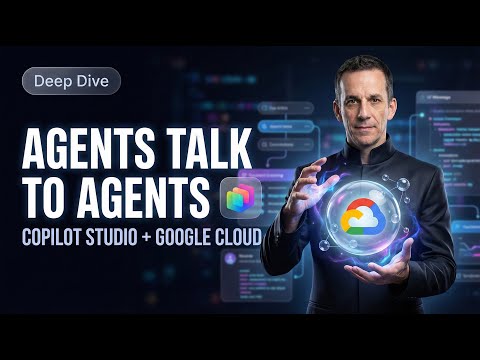
Copilot Studio: A2A Link to Google Cloud
Power Platform Cloud Solutions Architect @ Microsoft | Microsoft BizApps MVP 2023 | Power Platform | SharePoint | Teams
Microsoft Copilot Studio and Power Platform orchestrate multi agent workflows via Agent to Agent, Agent Card and connector to Google Cloud
Key insights
-
The video shows how the Agent-to-Agent (A2A) protocol enables direct cross-platform communication between AI agents.
It lets a master agent hand tasks to specialized external agents so no single agent must do everything. -
The tutorial explains the Agent Card, a JSON descriptor that announces an external agent’s capabilities, endpoint, and metadata.
Copilot Studio reads the Agent Card to route requests and understand what the external agent can do. -
It demonstrates connecting a Copilot Studio agent to a Google-hosted agent on Google Cloud Platform.
You paste the external endpoint in the Copilot test pane to call the Google agent and validate the interaction. -
Copilot Studio can auto-build a Custom Connector from an A2A endpoint, cutting manual setup time.
This automates connectivity so agents can exchange messages and trigger each other’s skills. -
Key use cases include hybrid workflows, document summarization, and specialty skills (for example, a “Coffee Expert”).
Benefits include Unified Data Access, fewer app switches, better productivity, and easier scaling. -
Security and deployment basics: create a GCP Service Account with domain-wide delegation, add the required OAuth scopes, and generate the JSON key.
On the Microsoft side, register the connector in Copilot Studio or the Microsoft 365 admin center and map permissions through Entra/M365.
Overview: A practical demo of cross-platform agents
The recently published YouTube tutorial by Damien Bird demonstrates how a master agent in Copilot Studio can delegate work to an external agent running on Google Cloud using the A2A protocol. The video positions the approach as a way to break platform silos so organizations can combine specialized expertise into one conversational flow. Accordingly, Bird walks viewers through a live demo that calls a Google-hosted agent from the Copilot test pane and explains the key artifacts that make that communication possible. This report summarizes the core steps, benefits, and tradeoffs highlighted in the presentation.
What the video shows step by step
First, Bird defines the A2A open protocol and then shows how to structure an interaction between agents, beginning at the Copilot test pane. He emphasizes the role of the JSON-based Agent Card, which advertises an external agent’s capabilities and endpoint so the master agent can call it. Next, the demonstration covers adding child, connected, and external agents and explains how those roles differ in architecture and lifecycle. Finally, he uses a practical example—triggering a Google “Coffee Expert” skill—to visualize orchestration between Copilot Studio and a Google Cloud endpoint.
Key technical components explained
Bird focuses on a few technical pieces that enable the integration, beginning with the Agent Card JSON format and the A2A endpoint contract that agents use to exchange messages. He also shows how pasting an external endpoint into Copilot Studio can auto-generate a Custom Connector, which simplifies authentication and routing in many cases. Moreover, the tutorial touches on how connectors and service accounts interact when indexing files such as those in Google Drive, illustrating that data access and permissions are central to successful integration. Throughout, Bird points out where administrators must coordinate across platforms to complete setup steps correctly.
Benefits and practical tradeoffs
Connecting agents across platforms brings clear benefits: it breaks down data silos and lets teams surface specialized knowledge without moving all content into a single vendor environment. For example, Copilot can summarize or pull context from Drive files as part of a Microsoft-based workflow, improving productivity and reducing context switches. However, the video also notes tradeoffs: greater interoperability raises configuration complexity, increases the surface for access control issues, and can add latency as requests hop between services. Consequently, organizations must weigh the improved capabilities against operational overhead and potential performance impacts.
Security, governance, and implementation challenges
Bird highlights that administrators need to coordinate Google Workspace and Microsoft 365 roles to configure service accounts, domain-wide delegation, and permission scopes correctly. This step is essential but can be error-prone, because missing OAuth scopes or misaligned identity mappings will block data access or break the handshake between agents. Additionally, the tutorial underscores the importance of logging, error handling, and observation when multiple agents interact, since tracing a failed request across cloud boundaries is harder than within one platform. Therefore, teams should plan governance, audit trails, and least-privilege access from the start to reduce risk.
Recommendations and next steps for teams
To manage complexity, Bird recommends starting with a small proof of concept that exercises a single skill and then expanding once authentication, connectivity, and monitoring are stable. He also suggests documenting the Agent Card schema and any custom connector settings so other developers can reuse the configuration without guessing. Moreover, teams should test for latency and error cases to understand the user experience under load and make informed tradeoffs between local skill replication and remote orchestration. Finally, consistent naming, versioning, and rollback procedures will make maintenance and change control much easier over time.
Conclusion: Practical integration with careful planning
Damien Bird’s video offers a practical, demo-driven look at how multi-agent orchestration can unite Microsoft and Google capabilities through the A2A protocol and Copilot Studio. While the approach unlocks valuable hybrid workflows and specialized skills, it also brings setup complexity, security considerations, and potential latency that require careful planning. In short, the tutorial is useful for architects and admins who want to evaluate cross-cloud agent orchestration; however, successful adoption depends on disciplined configuration, testing, and governance. Overall, the demo frames multi-agent orchestration as a powerful option when teams balance technical tradeoffs and operational demands.

Keywords
Agent to Agent A2A, Copilot Studio, Google Cloud integration, Copilot Studio to Google Cloud, A2A AI agents, Agent orchestration, Multicloud AI agents, Copilot deployment guide