- All of Microsoft
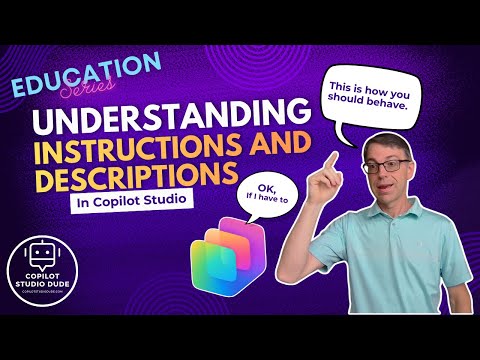
Copilot Studio: Prompts vs Descriptions
Master instructions and descriptions in Microsoft Copilot Studio to steer agents with Dataverse connectors and tools
Key insights
- Instructions vs Descriptions: Instructions are explicit commands that tell an agent what to do, while descriptions give context or intent the agent uses to plan steps.
Design clear instructions and rich descriptions so the agent interprets user intent correctly and reduces errors. - Generative Orchestration: Agents use generative planning to chain actions, adapt plans, and handle unexpected inputs without rigid scripts.
This lets agents combine multiple tools and adjust steps dynamically to complete complex tasks. - Tools, Connectors, and Input Widgets: Connectors (like Dataverse) and tool integrations let agents fetch data, act on it, and manage large datasets.
Use input widgets (calendars, selectors) and secure SSO-enabled connectors to improve accuracy and user experience. - Multi-Agent Patterns: One agent can delegate work to child agents for parallel processing or specialized tasks, improving scale and modularity.
Templates such as document processors help split large jobs and reuse proven flows. - Testing, Deployment, and Governance: Test agent flows locally (for example in Visual Studio Code), validate actions, and deploy to channels like Microsoft 365 Copilot or Teams.
Keep transcript logs, action-level metrics, and data policies to maintain governance and traceability. - Benefits and Best Practices: Clear instructions increase accuracy, automation boosts efficiency, and modular agents improve scalability.
Follow best practices: write precise prompts, include feedback loops, use humans-in-the-loop for complex decisions, and consider bring-your-own models for cost control and customization.
Video at a glance
A recent YouTube video by Dewain Robinson explains how instructions and descriptions function inside Microsoft Copilot Studio. The presenter walks viewers through how these language elements shape agent decisions and tool use, and he demonstrates practical patterns for working with connectors, child agents, and large datasets. Consequently, the video aims to help makers design agents that behave predictably while orchestrating complex workflows.
Robinson frames the topic as central to agent design, stressing that clear prompts and contextual descriptions let agents invoke tools correctly and chain tasks effectively. He also shows examples that break large datasets into manageable chunks using Dataverse connectors and child agents, which helps illustrate real-world tradeoffs. Overall, the video targets developers and low-code makers who build enterprise agents.
How instructions and descriptions shape agent behavior
In the video, Robinson distinguishes between instructions — explicit commands to perform an action — and descriptions — contextual text that helps agents interpret goals. He demonstrates that precise instructions reduce ambiguity and help agents call the right tools, whereas well-crafted descriptions provide context for planning and adaptation. Therefore, combining both lets agents move beyond rigid scripts to more flexible, generative orchestration.
Moreover, the presenter highlights that agents use large language models to interpret input and decide which connectors or child agents to call next. He emphasizes that the system’s ability to plan depends on the quality of both instruction and description, and that poor phrasing can cause incorrect tool calls or incomplete workflows. As a result, makers should test and refine language to balance user flexibility with predictable outcomes.
Practical demonstrations and tool integrations
Robinson shows practical patterns, including using Dataverse connectors and grouping tasks across child agents to scale processing of big datasets. For example, he demonstrates splitting a large table into smaller batches and delegating processing to separate agents, which reduces single-agent load and improves throughput. He also walks through using the Visual Studio Code extension for editing and testing agent flows before deploying to channels like chat or SharePoint.
In addition, the video covers features that support complex inputs, such as input widgets and IntelliSense-like controls that guide users toward valid values. Robinson explains that automatic SSO detection for connectors and node-level metadata in transcripts make it easier to manage credentials and audit actions. Consequently, these integrations aim to simplify developer work while preserving operational detail for governance.
Tradeoffs and design challenges
Robinson does not shy away from tradeoffs: tighter instructions improve accuracy but reduce flexibility, while broader descriptions allow creative responses but raise the risk of unintended actions. He warns that makers must weigh the need for robust understanding against the cost of more testing and model tuning, especially when bringing custom models from cloud services. Furthermore, more sophisticated orchestration adds complexity in debugging and maintaining agent flows.
He also highlights practical challenges such as ambiguous user language, inconsistent data schemas, and connector limits that complicate automation at scale. For instance, splitting a dataset across child agents can improve performance but requires careful coordination to avoid duplicate work or lost context. Therefore, teams should invest in clear interface design, logging, and retry logic to handle these edge cases effectively.
Governance, testing, and deployment considerations
Finally, the video discusses governance and operational readiness, noting features that help with auditing, data policy enforcement, and staged testing. Robinson demonstrates how node-level transcripts and action analytics can surface where instructions fail or tools misfire, which supports iterative refinement and compliance checks. He also reviews patterns for staging agents, including local testing in editors and controlled rollouts to Microsoft 365 channels.
However, he cautions that enterprise rollout requires balancing ease of use with security, since connector SSO, data policies, and human-in-the-loop controls all influence risk. In short, teams must plan for ongoing monitoring and updates, and they should document instruction and description expectations so that makers and end users share a common understanding. With careful design, agents can deliver efficiency gains while meeting governance needs.
What this means for makers
Robinson’s video provides a clear, practical primer for makers who want to build reliable Copilot Studio agents, and it stresses that language design is central to success. By combining precise instructions, rich descriptions, and appropriate orchestration patterns, teams can construct agents that automate repetitive work while escalating complex decisions to humans. As a result, the approach supports scalable automation without sacrificing control.
In conclusion, the video offers both examples and cautions: it demonstrates useful techniques like dataset partitioning with child agents and connector integrations, while also calling attention to testing, governance, and the costs of model customization. Therefore, organizations should treat instruction and description design as an ongoing practice rather than a one-time setup, and they should plan for the tradeoffs involved when moving from prototype to production.

Keywords
Copilot Studio instructions, Copilot Studio descriptions, Microsoft Copilot Studio guide, Copilot Studio prompt engineering, Writing instructions for Copilot Studio, Copilot Studio best practices, Copilot Studio templates, How to use Copilot Studio