- All of Microsoft
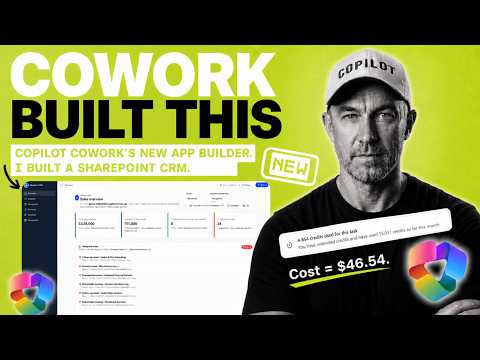
Copilot Cowork: Build a SharePoint CRM
A Microsoft MVP 𝗁𝖾𝗅𝗉𝗂𝗇𝗀 develop careers, scale and 𝗀𝗋𝗈𝗐 businesses 𝖻𝗒 𝖾𝗆𝗉𝗈𝗐𝖾𝗋𝗂𝗇𝗀 everyone 𝗍𝗈 𝖺𝖼𝗁𝗂𝖾𝗏𝖾 𝗆𝗈𝗋𝖾 𝗐𝗂𝗍𝗁 𝖬𝗂𝖼𝗋𝗈𝗌𝗈𝖿𝗍 𝟥𝟨𝟧
Microsoft guide to building a SharePoint CRM with Copilot and Cowork App Builder, visual pipeline and dashboard
Key insights
- Copilot Cowork App Builder: A new Microsoft 365 tool that builds lightweight apps from natural-language prompts.
In the demo, the creator used it to assemble a simple SharePoint CRM with backend lists and a frontend interface in under an hour. - How it works: Invoke the built-in App skill, describe the app in plain language, then refine the result in chat.
The flow creates data schemas, connects to SharePoint, and generates an interactive frontend you can open, test, publish, and share. - Demo features: The built CRM included drag-and-drop pipeline stages, company and contact workspaces, activity creation and follow-ups, search and filters, and document views.
The builder ran multiple passes with checkpoints for testing and fixes before publishing. - Advantages: You get No coding required rapid prototyping and apps that use native Microsoft 365 context like documents and lists.
Publishing and sharing live apps inside the organization is built into the experience. - Access and limits: App Builder is currently gated—often available via the Frontier program or preview channels and may have restricted features.
Expect further testing and governance work before using generated apps for daily production. - Best uses and next steps: Ideal for lightweight interactive apps—dashboards, intake forms, proto-CRMs, and internal trackers tied to SharePoint.
Treat builds as prototypes: validate identity, people selection, and document handling, then run more tests before full deployment.
Quick summary of the video and source
Daniel Anderson [MVP] published a blog post that walks viewers through a YouTube video demonstrating how Copilot Cowork’s new App Builder can generate a lightweight SharePoint CRM. The author describes building both the backend and the frontend, showing how the tool creates lists, relationships, sample data, and a usable app interface from natural-language prompts. Importantly, Anderson notes the build was completed across several passes with testing checkpoints and that the video compresses roughly an hour of work into a shorter demonstration. Consequently, the result is promising but still needs additional testing before it can be used in day-to-day operations.
How the build workflow unfolds
The video begins by using Copilot in SharePoint to create the data model and sample records, and then hands the documented schema to Copilot Cowork to run the App skill. Next, the tool generates the CRM frontend and iterates through design checkpoints where the author tests functionality like drag-and-drop pipeline changes and activity creation. Throughout the process, the presenter tests identity handling, people selection, document previews, and publishing, showing what works and what needs fixes. As a result, viewers get a practical look at a rapid prototyping flow that bridges the backend data and an interactive UI.
Key features demonstrated
The tutorial highlights several interactive elements, including a visual sales pipeline that supports drag-and-drop stage updates and dedicated company and contact workspaces that surface related activities and documents. Additionally, the app supports activity creation with follow-ups, search and filter controls, and document views connected to SharePoint lists, which illustrates how native Microsoft 365 context is used. The video also shows real-time testing, such as opening the app as another user to check permissions and identity handling, and minor fixes like correcting people selection. Therefore, the demo effectively showcases how an AI-driven app builder can assemble both data and UX components quickly.
Tradeoffs and practical limitations
Although the speed of creation is a clear advantage, there are tradeoffs between rapid prototyping and production readiness that Anderson emphasizes in his write-up. For instance, the quick build required follow-up testing to ensure people selectors, document displays, and permission checks behave correctly across users, which can be time-consuming to validate at scale. Furthermore, the tool is designed for lightweight, internal apps and not full-featured customer relationship management systems, so teams must weigh convenience against the need for advanced customization or integration. Consequently, organizations should treat these generated apps as strong prototypes that may require further development and governance before broad deployment.
Access, governance, and enterprise concerns
Anderson’s post also covers practical constraints such as access controls: the App Builder in Copilot Cowork is currently tied to the Frontier program and preview channels, while Copilot Studio’s native app building is rolling out in public preview. This gating means the feature may not be available to all Microsoft 365 customers yet, and preview status implies limited functionality and evolving behavior. Moreover, Microsoft positions these capabilities within a broader agentic platform that pairs app creation with governance, but organizations will still need to align the new workflow with their compliance, security, and lifecycle practices. Thus, IT teams must balance user empowerment with careful oversight to avoid unexpected data or access risks.
What this means for Microsoft 365 builders
For people who build solutions on Microsoft 365, the demo suggests a useful path for quickly creating internal tools, team dashboards, intake forms, and simple trackers without traditional low-code development. Because the system accepts natural language prompts and iterates via chat, business users and admins can prototype ideas faster, while developers can focus on refining integrations and governance. At the same time, adoption will require more testing, especially where identity, permissions, and complex data relationships matter, and planners should budget time for those checks. Overall, the video and blog post present a practical preview of how AI-assisted app building can speed initial design while still requiring human validation to reach production quality.
Bottom line
Daniel Anderson [MVP]’s coverage of the YouTube demo gives a balanced look at Copilot Cowork’s new App Builder, showcasing both the speed of natural-language creation and the careful testing needed afterward. While the tool can assemble a functional SharePoint CRM quickly, the experience is best suited for prototypes and lightweight apps until broader previews and governance tools mature. Therefore, organizations interested in this workflow should experiment with pilot projects, verify permission and identity flows, and prepare to iterate on the AI-generated output. In short, the demo is an encouraging step toward faster app creation inside Microsoft 365, but practical adoption will still depend on disciplined testing and oversight.

Keywords
Copilot Cowork app builder, SharePoint CRM tutorial, Build CRM in SharePoint, Copilot Cowork SharePoint app, Copilot app builder review, Power Platform SharePoint integration, No-code SharePoint app builder, Create CRM with Copilot Cowork