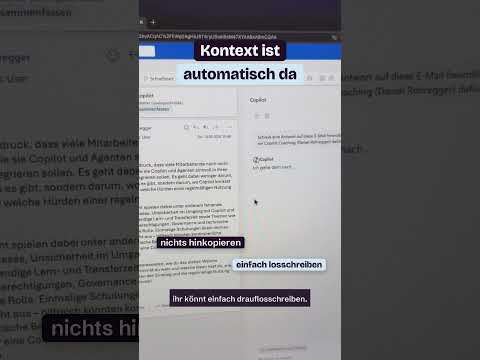
Outlook Copilot Chat drafts email without an add-on
Daniel Rohregger highlights email drafting with Copilot Chat in Outlook, while the research notes distinguish it from licensed Copilot features.
Key insights
- The Short focuses on drafting email with Copilot Chat inside Outlook.
- The research notes say eligible work or school accounts can use Outlook Copilot Chat without a Copilot add-on.
- Without the add-on, access to organizational data is more limited than with Microsoft 365 Copilot.
- Generated email text should be reviewed and edited before sending.
Daniel Rohregger of 365 Checkpoint published a YouTube Short about writing emails with Copilot Chat in Outlook without a Copilot license. The Short is 1 minute and 17 seconds long; the supplied transcript contains no further detail about what is demonstrated. The takeaway from the accompanying research is that some eligible work or school account users can draft email with Copilot Chat, but this is not the same as having the full Microsoft 365 Copilot experience.
What's new
The Short’s title describes using Copilot Chat in Outlook to write emails without an additional Copilot license. The research notes say eligible Microsoft 365 business, school, or university accounts can access Copilot Chat in Outlook without a paid Microsoft 365 Copilot add-on assigned. A user can describe the intended message, such as its subject, audience, tone, or key points, and ask Copilot to produce draft wording.
The notes also describe asking questions about inbox messages, summarizing email, and querying calendar or meeting information. Those examples are background context; the supplied Short transcript does not confirm which of these actions appears in the video.
Why it matters
For Outlook users without the paid Copilot add-on, the distinction could matter when deciding whether Chat can help with a routine message. It may provide a starting draft from a prompt, which the user can then check and edit. That does not mean every Outlook user or account can use the feature: the notes qualify access as applying to eligible work, school, or university accounts.
For admins, the key point is to avoid treating Copilot Chat without the add-on as equivalent to Microsoft 365 Copilot. The research notes say its access to organizational information is limited compared with licensed Copilot, which can use a broader set of work content. The notes also distinguish this from Outlook’s classic “Draft with Copilot” function, described as intended for customers with a Microsoft Copilot work license.
How it works
As described in the research notes, a user gives Copilot Chat a prompt specifying the email’s purpose and desired content. Copilot generates text for the user to review and edit. The Short’s provided transcript does not specify the exact interface, steps, or prompt used in the clip, so these details should not be read as a frame-by-frame account of its demonstration.
Copilot-generated text is a draft, not a guarantee of accuracy. Check factual details, tone, and omissions before sending, especially when the message makes commitments or refers to customer issues.
Limitations and open questions
The supplied materials do not establish which accounts, regions, or rollout stages currently have access, nor do they provide setup instructions. They also do not clarify the precise boundary of data available to unlicensed Chat in every Outlook scenario. The Short transcript itself is only a label, so the feature details here rely on the accompanying research notes rather than a verified transcript of the demonstration.
Sources
Frequently asked questions
Can Outlook Copilot Chat draft an email without a Copilot add-on?
The research notes say eligible Microsoft 365 business, school, or university accounts can use Copilot Chat in Outlook without the paid add-on. They do not establish availability for every account.
Is that the same as Microsoft 365 Copilot?
No. The notes describe more limited organizational data access without the add-on. They also say the classic Draft with Copilot function is intended for customers with a Microsoft Copilot work license.
Should I send the generated draft as-is?
No. The notes recommend reviewing and editing the generated text because it may contain inaccuracies, an unsuitable tone, or missing details.