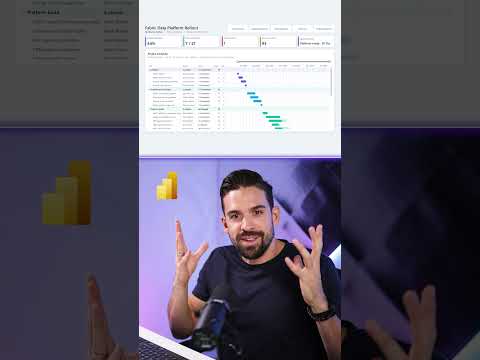
Power BI native Gantt chart for project timelines
Power BI’s preview Gantt visual lets report authors map tasks, dates, progress and milestones on a project timeline.
Key insights
- The native Gantt visual is described as a preview feature in Power BI.
- Task bars use start and end dates to show duration across a timeline.
- The visual can display progress, milestones and grouped project phases.
- Preview settings may be needed, and availability may vary during rollout.
- The research notes do not confirm general availability or detailed licensing.
Power BI’s native Gantt visual provides a way to display project tasks, durations, progress and milestones on a report timeline. It is relevant to report authors and project teams who want schedule information alongside other Power BI data. How to Power BI’s YouTube Short is listed as a demonstration source, but its transcript is not available in the supplied material.
What it does
A Gantt chart places tasks along a time axis: each task’s start and end dates define a horizontal bar, and the bar length represents its duration. The research notes describe the Power BI visual as a preview feature intended to bring project timelines into a report without installing a separate AppSource visual. The notes also describe progress-filled bars, milestone markers, task details and parent groups for project phases.
That can make a schedule easier to review alongside other report data. The notes mention filtering and comparing activities by categories such as owner, department, phase or status, although they do not provide verified setup instructions for each interaction. For readers comparing project-reporting options, the Power BI topic page covers the product more broadly.
Who it is for and what you need
The visual is aimed at Power BI report authors who have project or schedule data to present, including task names and dates. The research notes also identify progress, parent or phase, milestone and category fields as possible inputs. They do not specify a required license, a minimum Power BI version, or whether a particular service or region is supported.
The notes say the visual is in preview and may need to be enabled through Power BI Desktop’s preview features. They also report that availability may be rolling out gradually, but provide no official Microsoft source to confirm rollout details. Check your own Power BI installation for the feature rather than assuming it is already present.
How it works
- In Power BI Desktop, check preview features if the Gantt visual is not available.
- Add the visual to a report page and map task names with start and end dates.
- Where supported in your installation, add progress, parent phases, milestones and categories.
- Configure the timeline and use report filters to examine relevant parts of the schedule.
The research notes say dates should be supplied as date fields where the visual requires them, rather than date hierarchies. Exact field wells and formatting controls may change during preview, and the supplied material does not identify their precise names.
Limitations and open questions
Preview status means the interface and capabilities may change. The notes report that the visual uses one start and one end date for each bar, and do not describe a full planned-versus-actual timeline model. They also flag possible gaps in baselines, a dedicated current-date line, advanced conditional formatting and scheduling behavior.
Those limitations matter if your reporting depends on project controls beyond a basic timeline. The notes say users previously relied on AppSource visuals or other chart types, but do not establish how the native visual compares with specific alternatives. Licensing, general availability and final feature scope remain unconfirmed by an official Microsoft source in the material provided.
Sources
Frequently asked questions
Is the native Gantt chart available in Power BI?
The supplied research notes describe it as a preview feature and say availability may roll out gradually. They do not confirm general availability.
How do I add a Gantt chart in Power BI?
The notes suggest checking Power BI Desktop preview features, adding the visual to a report, and mapping task names and dates. Exact field names and settings are not provided.
What data does the Power BI Gantt visual use?
The described inputs include task names and start and end dates. Progress, parent phases, milestones and categories may also be added.
What license do I need for Power BI's Gantt visual?
The supplied material does not specify licensing requirements.