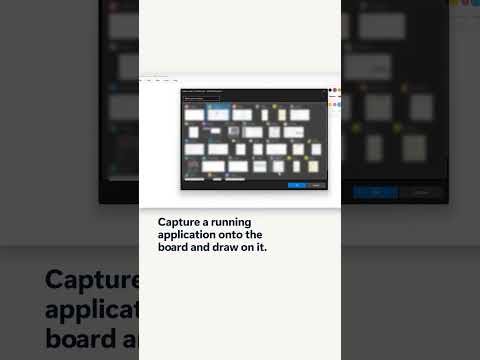
SQLBI Whiteboard LiveView captures a running app
SQLBI Whiteboard’s LiveView puts a running app window or screen on the board so trainers can annotate it or keep a snapshot.
Key insights
- Open LiveView from View → LiveView, then select an application window or screen in the Windows capture picker.
- The selected app appears as a movable, resizable element on the SQLBI Whiteboard canvas.
- Freeze or copy the current view to keep a static image while the original app continues to change.
- SQLBI Whiteboard is a separate Windows application, not Microsoft Whiteboard.
SQLBI Whiteboard LiveView places a running application window or screen on the board, where you can move, resize and annotate its content. It is aimed at trainers and presenters who explain DAX, SQL, Power BI reports or data models while demonstrating a live application. SQLBI demonstrates the feature in a YouTube Short, while the available product notes describe how LiveView works beyond the brief clip.
What it does
LiveView captures a window or screen and displays it as an element on SQLBI Whiteboard’s canvas. The view can update as the selected application changes, allowing a presenter to interact with a report or query and discuss the result without leaving the board.
Once the relevant state is on screen, it can be frozen or copied as a bitmap. A copied image remains static, so it can be marked up even as the original application continues to change. SQLBI Whiteboard is a standalone application, not Microsoft Whiteboard.
Who it is for and what you need
LiveView is useful for people presenting technical material, including DAX, SQL and data modeling. The notes identify SQLBI Whiteboard as a Windows application, but do not state a required Windows version, a license requirement or regional availability.
The notes describe SQLBI Whiteboard as free and open source, with local board files and no account requirement. They do not identify a Microsoft 365 or other subscription prerequisite. No official Microsoft source was provided, and LiveView is a feature of SQLBI’s own app rather than a Microsoft product.
How it works
- Open SQLBI Whiteboard and a board.
- Choose View → LiveView, then select a window or screen in the Windows capture picker.
- Position and resize the LiveView element on the board, then interact with the running application.
- Freeze the view or copy it to retain a static image, and add annotations on the board.
The notes say the canvas element can also be centered, deleted, and managed with undo and redo. They describe support for pen, mouse and touch input, though they do not specify a particular device or setup requirement.
Limitations and open questions
The available material does not explain compatibility limits for captured applications, privacy behavior, or whether every window can be captured. It also does not give setup instructions for a specific Windows release or describe a Microsoft-supported deployment path.
LiveView belongs to SQLBI Whiteboard; it should not be treated as a Microsoft Whiteboard setting. The source material does not provide an official Microsoft reference to verify availability or technical requirements.
Sources
Frequently asked questions
How do I open LiveView in SQLBI Whiteboard?
Choose View → LiveView, then select an application window or screen in the Windows capture picker.
Can I annotate a running app in SQLBI Whiteboard?
LiveView places the captured window or screen on the board, where you can position it and add annotations. You can freeze or copy the view to keep a static image.
Is SQLBI Whiteboard LiveView part of Microsoft Whiteboard?
No. SQLBI Whiteboard is a separate Windows application, and LiveView is its feature.
What license or Windows version does LiveView require?
The notes describe SQLBI Whiteboard as free and identify it as a Windows application, but they do not specify a required Windows version or other prerequisites.